Construct vs Claude Cowork

Construct Team · Editorial team
The team building and documenting Construct Computer.
Published · @use_construct
- comparison
- ai-employee
- claude-cowork
On this page12 sections · 12 min read
- Why choose Construct over Claude Cowork?
- What is Claude Cowork?
- Methodology
- Construct vs Claude Cowork: features at a glance
- How much does Claude Cowork cost compared with Construct?
- Where does Construct give you more control?
- How to run the same job on both yourself
- Already using Cowork? Add Construct in 15 minutes
- When might Cowork still fit?
- Which should you choose?
- Sources
- Related resources
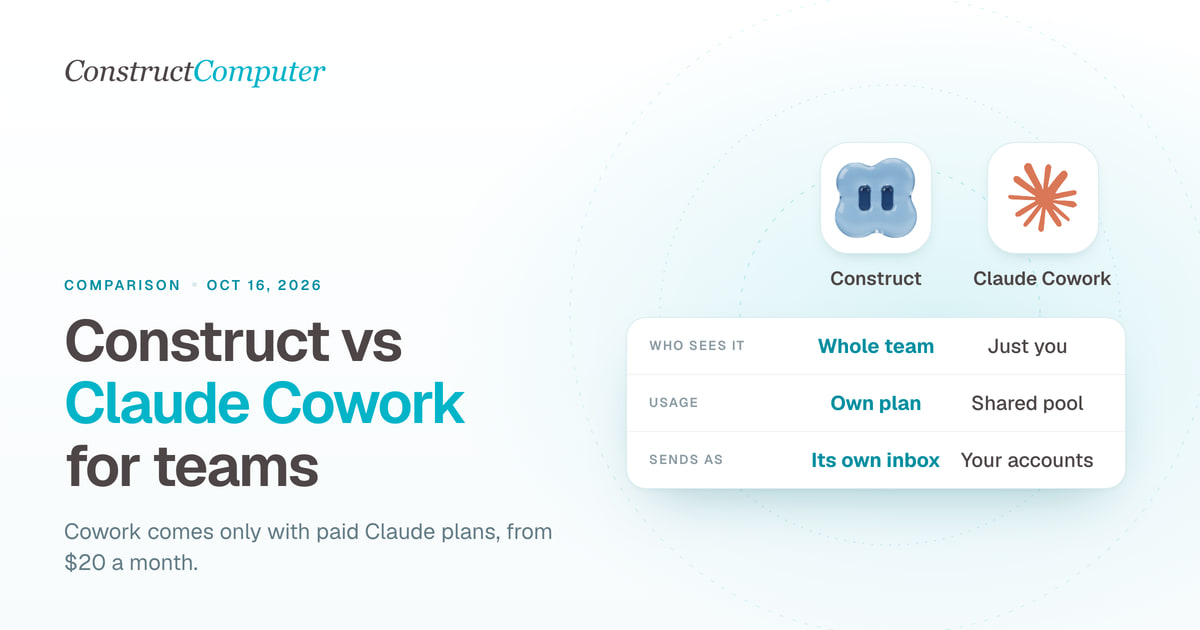
Construct is the Claude Cowork alternative for small teams: it gives you an AI employee with a persistent workspace, its own email address, and scheduled jobs from $9 a month, and it runs on the model you choose, including Claude through your own Anthropic key on Pro. Claude Cowork comes only with paid Claude plans from $20 a month, draws on the same usage pool as chat and Claude Code, and Anthropic lists its work as seen by "just you"; sharing means Claude Team seats at $25 each billed monthly, with a two-seat minimum, plus usage-billed Claude Tag in Slack.
For most founders and small teams, Construct is the better choice. It costs less to start, keeps every finished file in a workspace the whole team opens without buying seats, and lets you pick or bring your own model provider. Already paying for Claude? Keep Cowork for personal drafting and research and give Construct the recurring team work. The two run side by side.
Why choose Construct over Claude Cowork?
- $9 a month instead of $20, and no seats. Construct Lite includes 2 agents, 3 scheduled tasks, and an agent email address. A team workspace has no member limit, and everyone's work draws on the owner's plan.
- Files that stay put between runs. Reports, spreadsheets, and scripts land in workspace files as the agent produces them, so a run that stops at step 30 still leaves steps 1 to 29 behind, and next week's run starts from last week's output.
- Your model, including Claude. Construct runs on bundled models, and Pro lets you bring keys for OpenRouter, OpenAI, Anthropic, Amazon Bedrock, or xAI. Keep using Claude through your own key and switch later without moving a file.
- One workspace the whole team shares. Invite teammates with Owner, Admin, or Member roles. Nobody needs a Claude seat to open the agent's work.
- Its own email address. Every plan gives the agent an inbox of its own. Forward a thread from your address and it starts work.
- It answers where your team already talks. Web, Slack, Telegram, Discord, and email, so teammates outside Slack are covered too.
What is Claude Cowork?
Claude Cowork is the part of Claude that carries out multi-step work: you "describe an outcome, step away, and come back to finished work," such as formatted documents, organized files, and research, according to Anthropic's getting started guide. It can use a browser, build Excel spreadsheets and PowerPoint presentations, coordinate parallel sub-agents, and run scheduled tasks. It is not on the free plan.
It has changed quickly this year, which is why older comparisons are often wrong:
- July 7, 2026: Cowork came to web and mobile in beta, starting with Max, so "Claude keeps going" after you close the laptop (Claude blog).
- August 26, 2026: Claude got its own browser inside Cowork on the desktop app (Claude blog).
- September 16, 2026: Anthropic began merging Cowork and chat into one Claude, rolling out on Pro and Max (Claude blog).
- October 6, 2026: new Cowork tasks on Pro and Max run in the cloud, and the "Only on your computer" option is gone. Cloud sessions are still in beta on Team and Enterprise, and Claude reaches local folders through the desktop app only while it is open (Claude Help Center).
- October 7, 2026: Max and Team plans started including monthly API credits for the Claude Platform (Claude release notes).
Can Claude Cowork work for a team? What is Claude Tag?
Not on its own. Claude Tag is Anthropic's team agent for Slack, in public beta on Team and Enterprise plans only, and the pricing page calls it @Claude. Anyone in a paired Slack workspace can tag @Claude with a task; it works in a cloud sandbox and posts the result back in the thread (Claude Tag overview). Anthropic's own summary of the split: "team work → Claude Tag; personal work → Cowork or Claude Code" (How Claude Tag works).
So Cowork is Anthropic's personal agent and Tag is its team one. Construct does both jobs from one workspace, at a lower starting price.
Methodology
We build Construct. This is our editorial comparison of documented capabilities and published prices, checked on October 11, 2026. It is not a hands-on performance benchmark.
Claude facts come from Anthropic's help center and release notes, the Claude Tag documentation, Claude's pricing page, and the Claude blog. Where a capability is not documented in the sources we reviewed, we say so rather than claiming it is absent.
Construct vs Claude Cowork: features at a glance
| Capability | Construct | Claude Cowork (and Claude Tag) |
|---|---|---|
| Starting price | $9 a month (Lite) | Claude Pro at $20 a month; Team at $25 per seat billed monthly, two-seat minimum |
| Model | Bundled models, or your own keys for OpenRouter, OpenAI, Anthropic, Bedrock, and xAI on Pro | Anthropic's Claude models |
| Files between runs | Kept in workspace files; a stopped run keeps its finished steps | Cowork sessions persist across devices; Tag sandbox files are released when idle |
| Who sees the work | Everyone in a team workspace, by role, with no per-seat fee | Cowork: just you. Tag: everyone in the channel |
| Scheduled work | Calendar schedules and saved workflows: 3 on Lite, 10 on Starter, 50 on Pro | Hourly, daily, weekly, or weekdays; tasks that need local files run only on your computer |
| Memory | Inspect, correct, or forget any stored fact | Shared with your chats; Tag keeps channel notes anyone in the channel can correct |
| Agent identity | Its own email address on every plan | Cowork acts through your connected accounts; Tag uses service accounts an admin creates |
| Ways to reach it | Web, Slack, Telegram, Discord, and its own email address | Claude web, desktop, and mobile; Slack via Tag on Team and Enterprise |
| Where work runs | Cloud workspace with files, a live browser, and a terminal | Cloud on Pro and Max, beta on Team and Enterprise; local folders while the desktop app is open. Tag: a sandbox per thread |
| Availability | Sign up directly; no other subscription needed | Paid Claude plans only; Anthropic's supported countries include the UK, EU countries, and Switzerland |
Claude sources: Cowork guide, Cowork on web, desktop, and mobile, scheduled tasks, How Claude Tag works, and Anthropic supported countries. Construct's product guide explains how its workspace runs.
How much does Claude Cowork cost compared with Construct?
Claude Cowork costs $20 a month at the cheapest, because it only comes with a paid Claude plan; Construct starts at $9. Construct is priced per plan, not per seat. Cowork has no separate price, and on every paid plan your activity across Claude on web, desktop, mobile, and Claude Code "all draws from the same pool" (Claude pricing). These are USD prices billed monthly.
| Construct Lite | $9 | Up to 2 agents, 50 steps per task, 3 scheduled tasks, agent email address |
| Construct Starter | $59 | 6x Lite usage, up to 5 agents, 150 steps per task, 10 scheduled tasks |
| Construct Pro | $299 | 32x Lite usage, up to 15 agents, up to 1,000 steps per task, 50 scheduled tasks, your own keys |
| Claude Pro | $20 ($17 annually) | Cowork, scheduled tasks, Claude Code; one shared usage pool |
| Claude Max | From $100 | 5x or 20x Pro usage, plus monthly API credits since October 7 |
| Claude Team Standard | $25 per seat ($20 annually) | Teams of 2 to 150; Claude Tag available, channel work billed by usage |
| Claude Team Premium | $125 per seat ($100 annually) | 5x the usage of a Standard seat |
Sources: Construct pricing, Claude pricing, and Claude Tag setup. Paying annually brings Construct to $7.50, $39, and $199 a month.
Is Claude Cowork free?
No. Anthropic's help center says Cowork is available on paid Claude plans only: Pro, Max, Team, and Enterprise (Claude Help Center). The free Claude plan covers chat, files, memory, connectors, and artifacts, but not handing off or scheduling tasks (Claude pricing).
What this means for your budget
- Starting from zero: Construct Lite costs $11 a month less than Claude Pro, and its plan limits are stated up front: 2 agents, 50 steps per task, and 3 scheduled tasks.
- A team of three: Claude Team Standard is $75 a month billed monthly before Claude Tag usage, which draws on a balance an Owner funds, and on a Team plan "nothing runs until credits are loaded" (Claude Tag setup). Construct Starter at $59 covers up to 5 agents for the whole workspace, however many people join.
- Already paying for Claude: for $9 more, Construct adds a shared workspace whose files, schedules, and memory your team can see. On Pro, it can run on your own Anthropic key.

Where does Construct give you more control?
Both products put an agent to work in the cloud. Construct also gives you a say in what stays behind after a run, which model does the work, and who can see it.
A workspace that keeps its files
Claude Tag is explicit about its lifecycle: each thread gets its own sandbox, released a few minutes after a turn finishes, and files that exist only in the sandbox do not survive; Claude "recreates them if asked" (How Claude Tag works).
Construct's workspace is the durable place. Every run saves its output to workspace files as it goes, and next week's run starts from last week's output. For a team, that is the difference between a thread to scroll back through and a folder to open.
Your choice of model, including Claude
Cowork and Tag run on Anthropic's models. Construct Pro can run on your own keys for OpenRouter, OpenAI, Anthropic, Amazon Bedrock, or xAI, either as a fallback after bundled limits or for every run, as the Construct terms explain. Keep using Claude through your own Anthropic key today and switch providers next quarter without moving your work. Your keys bill you directly when they are used.
A team workspace without per-seat pricing
Sharing Claude's work means Claude Team seats, or Claude Tag in Slack with an admin setting up service accounts per tool. Construct's team workspaces put people, the agent, files, apps, and conversations in one place, with Owner, Admin, and Member roles. A teammate can open Wednesday's work without being briefed on Friday's.
Silent product demo: Construct's workspace settings for inviting teammates and controlling access, so the agent, files, and conversations are shared by role instead of by a forwarded login.
Can Claude Cowork send emails? Construct has its own address
Cowork sends through the accounts you connect, so its email comes from your own mailbox; an address of its own is not documented in the sources we reviewed. Claude Tag's setup asks your admin to create an email user for Claude in your company's email console (Claude Tag setup).
Every Construct agent has its own email address on every plan. Forward a supplier thread or an invoice from your own address and the agent starts work on it; replies can go out from the agent's address instead of your personal Gmail. Construct also takes work from Slack, Telegram, Discord, and the web. See our guide to giving an AI agent its own email address.
Memory you can inspect and correct
Open what Construct has learned, correct a fact, or forget it, so a changed client preference does not keep resurfacing. Anthropic describes Cowork's memory as shared with your chats: cloud sessions start from what Claude remembers, and what comes up in a task carries back to chat (Claude Help Center). The memory guide explains Construct's approach.
How to run the same job on both yourself
The fairest test is one of your own recurring jobs, run on both for two weeks. Here is a checklist you can follow; we have not published results of our own.
- Pick one job with a file at the end, such as a weekly pipeline review that lists stale deals and drafts a follow-up for each, with "do not email any customer" in the instruction.
- Give both the same prompt and the same data, and schedule both for the same time on Monday.
- Time the setup, including any admin steps such as Team seats, Tag credits, or connecting apps.
- In week two, check whether each one built on week one's output rather than starting over.
- Ask a teammate to open the result without your login, and note where it lives.
- Add up the cost, including seats, usage, and any credits.
Here is how the Construct side runs, as an illustrative walkthrough rather than a measured result. Connect HubSpot, save the report format in Files, and ask the agent for this week's stale deals with a draft follow-up for each. Check the first report, then save it as a workflow and put it on the Calendar. Each Monday the report lands in Files and Construct notifies you in the web app; anyone on the team can open it there, or @mention the agent in Slack to ask about a deal. The workflow guide and the scheduling page walk through each step.
Already using Cowork? Add Construct in 15 minutes
You do not have to give up Claude. Start with the recurring job your teammates need to see, or the one whose files keep getting lost between runs.
- Start on Lite for $9, or take the 7-day Pro trial to run it on your own Anthropic key.
- Copy the instructions from your Cowork scheduled task into a Construct chat, and move the files it uses into the workspace.
- Connect the apps the job needs from the integration catalog.
- Run it once and check the result in Files.
- Put it on the Calendar so it runs every week whether or not anyone is online.
There is no import: Cowork sessions, Claude memory, and Claude Tag channel notes do not transfer. Write your rules into the first instruction and Construct saves them as memory you can read. One thing to set up deliberately: Construct's workflows do not pause for approval yet, so for steps you kept on Manual approval in Cowork, such as customer emails, ask for drafts and send them yourself once you have checked them.
When might Cowork still fit?
- Your work is mostly personal research and documents, and you already pay for Claude.
- The job needs your local files or desktop apps through the Claude Desktop app.
- You want Manual or Auto approval on each action, or Claude for Small Business's ready-to-run workflows that connect to QuickBooks, Shopify, Square, and Xero (Claude blog).
For recurring team work that needs shared files, schedules, a choice of model, and a price that does not grow with every seat, Construct is the better fit.
Which should you choose?
Choose Construct. It starts at $9 instead of $20, keeps every finished file in a workspace your team shares without seats, runs on the model you pick, including Claude, and gives the agent its own email address. If you already use Cowork, keep it for personal drafting and let Construct run the work your team depends on.
Pick the report, pipeline review, or tracker your team keeps doing by hand, give Construct the inputs, and judge the saved result. Start on Lite at $9, or try Pro free for seven days with your own Anthropic key.
Sources
Pages checked on October 11, 2026:
- Claude Help Center: get started with Claude Cowork
- Claude Help Center: use Claude Cowork on web, desktop, and mobile
- Claude Help Center: schedule recurring tasks in Cowork
- Claude release notes
- Claude blog: Claude Cowork is coming to mobile and web, July 7, 2026
- Claude blog: Claude gets its own browser in Cowork, August 26, 2026
- Claude blog: Claude Cowork and chat are now one Claude, September 16, 2026
- Claude blog: Claude for Small Business, September 15, 2026
- Claude pricing
- Claude Tag overview, how it works, and setup
- Anthropic supported countries
- Construct pricing
- Construct terms, including BYOK
- Construct product guide
Related resources
- Dots vs Muse vs Grok Bot vs Claude Cowork for a small business
- What is an AI agent with its own computer?
- Construct vs ChatGPT, Claude, and Gemini
- AI agent memory you can control
- Construct vs Lindy
- Construct team workspaces
Frequently asked questions
- What is the best Claude Cowork alternative for a small team?
- Construct, for most founders and small teams. It starts at $9 a month instead of $20, keeps every finished file in a workspace the whole team opens without buying seats, gives the agent its own email address, and runs on the model you choose, including Claude through your own Anthropic key on Pro. Already paying for Claude? Keep Cowork for personal drafting and give Construct the recurring team work.
- Is Claude Cowork free?
- No. Anthropic's help center says Cowork is available on paid Claude plans only: Pro, Max, Team, and Enterprise. The free Claude plan covers chat, files, memory, connectors, and artifacts, but not handing off or scheduling tasks. Claude Pro, the cheapest way in, is $20 billed monthly or $17 a month billed annually, while Construct Lite is $9 a month.
- How much does Claude Cowork cost compared with Construct?
- Cowork comes with paid Claude plans: Pro is $20 a month, Max starts at $100, and Team Standard is $25 per seat billed monthly for teams of 2 to 150, with Claude Tag channel work billed by usage. All Claude activity draws from one usage pool. Construct Lite is $9 a month, and Starter at $59 covers up to 5 agents for a whole team workspace, as of October 11, 2026.
- Can Claude Cowork be used by a team?
- Not on its own. Anthropic lists Cowork's work as seen by just you, and points team work to Claude Tag, a Slack agent in public beta on Team and Enterprise plans that draws on a usage balance an Owner funds. Construct gives the whole team one workspace with Owner, Admin, and Member roles, shared files, and no per-seat fee.
- Can Claude Cowork send emails?
- Cowork sends through the accounts you connect, so its email comes from your own mailbox; an email address of its own is not documented in the sources we reviewed. Claude Tag asks your admin to create an email user for Claude. Every Construct agent has its own email address on every plan, so replies can come from the agent instead of your personal Gmail.
- Can I use Claude models in Construct?
- Yes, on Pro. Construct Pro runs on your own keys for OpenRouter, OpenAI, Anthropic, Amazon Bedrock, or xAI, either as a fallback after bundled limits or for every run. You can keep using Claude through your own Anthropic key and switch providers later without moving your work. Your keys bill you directly when they are used, and Pro has a 7-day free trial.
- Can I move my Cowork tasks to Construct?
- There is no import, so Cowork sessions, Claude memory, and Claude Tag channel notes do not transfer. Copy the instructions from your Cowork scheduled task into a Construct chat, move its files into the workspace, connect the apps, run it once, and put it on the Calendar. Construct's workflows do not pause for approval yet, so keep customer emails as drafts you send yourself.
- When does Claude Cowork still make sense?
- Cowork fits if your work is mostly personal research and documents and you already pay for Claude, if a job needs your local files or desktop apps through the Claude Desktop app, or if you want Manual or Auto approval on each action or Claude for Small Business workflows. For recurring team work with shared files and no per-seat pricing, Construct is the better fit.
Keep reading
Construct vs Muse for Small Business
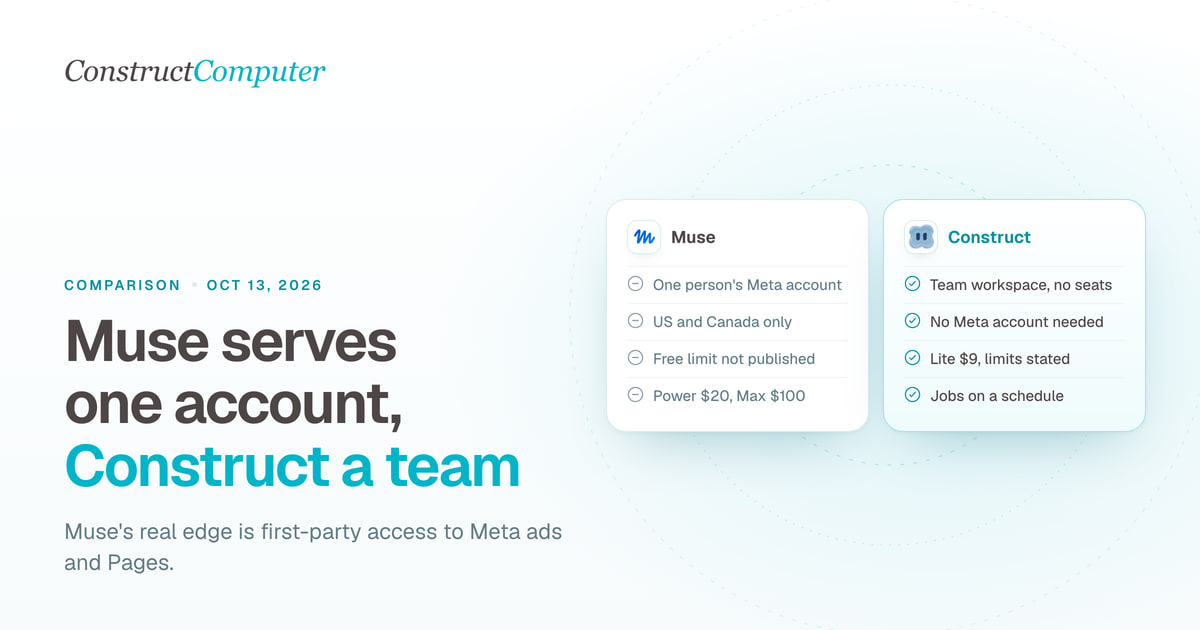
Meta Muse for Small Business is free to start but runs on one Meta account, US and Canada only. Construct gives your whole team an AI employee from $9.
Lindy alternatives, compared honestly
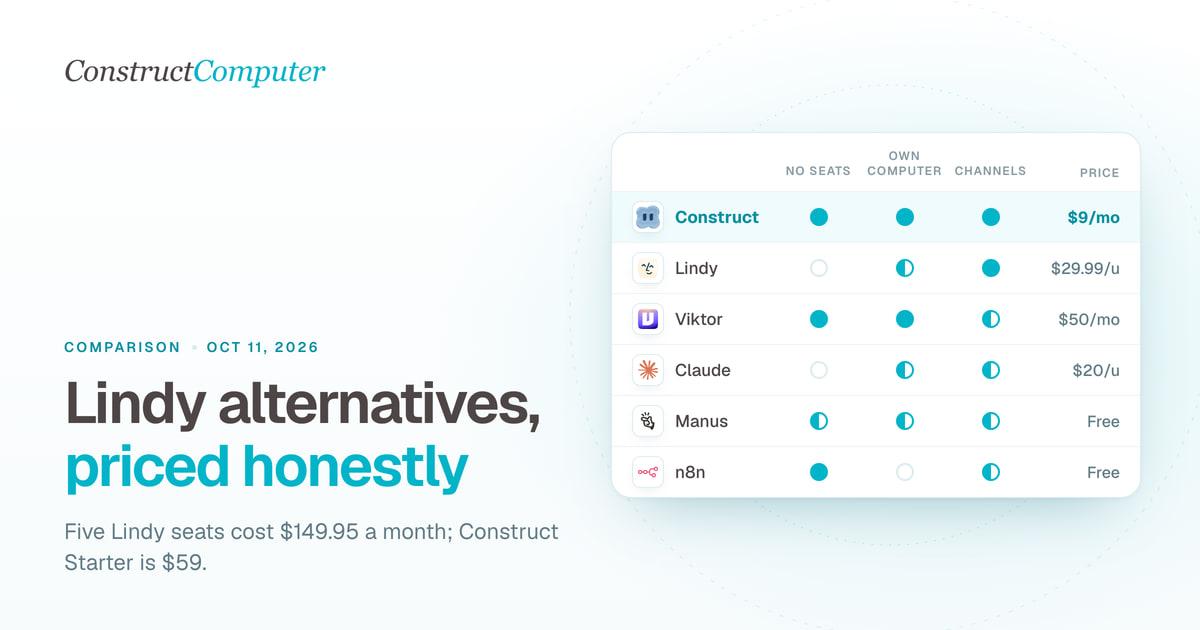
Lindy bills $29.99 or more per user a month. Compare 10 Lindy alternatives on price, billing unit and channels, from Construct at $9 to self-hosted n8n.

Gemini Spark alternatives, including for Workspace accounts and the UK and EU
Gemini Spark needs a personal Google account and skips the UK and EU. Compare 7 always-on agents on price, work accounts, and regional availability.
- comparison
- gemini-spark
- google-workspace
- ai-employee

Construct vs Lindy
Construct vs Lindy on pricing, where each works, memory, activity records, and model keys. Lindy starts at $29.99 per active user; Construct starts at $9.

