Construct vs ChatGPT, Claude, and Gemini

Construct Team · Editorial team
The team building and documenting Construct Computer.
Published · Updated · @use_construct
- comparison
- chat-assistants
- chatgpt
- ai-employee
On this page11 sections · 6 min read
- Why choose Construct over a chat assistant?
- Methodology
- Side by side
- Conversation vs execution
- Where does Construct do more for you?
- The same request in both
- Already using ChatGPT, Claude, or Gemini? Add Construct in 15 minutes
- When might a chat assistant still fit?
- Which should you choose?
- Sources
- Related resources
Construct gives you an AI employee that does the work, not just the writing, from $9 a month: it has its own workspace, files, Calendar schedules, and email address, and it keeps every finished file after the conversation ends. Chat assistants such as ChatGPT, Claude, and Gemini organize work around a conversation, and their tools, connectors, and scheduling vary by product and plan, so the steps around the answer usually stay with you.
For founders and small teams, Construct is the better choice for recurring work. It runs jobs on a schedule with your laptop closed, starts next week's run from this week's files, and lets you read and correct what it remembers. Keep your chat assistant for brainstorming, and hand Construct the jobs that repeat.
Why choose Construct over a chat assistant?
- $9 a month for an agent that acts. Construct Lite includes 2 agents (Construct and one more), 50 steps per task, 3 scheduled tasks, and an agent email address.
- Work saved as files, not buried in a thread. Reports, spreadsheets, and scripts land in workspace files as they are produced, so a run that stops at step 30 keeps steps 1 to 29.
- Schedules that run without you. Put a job on the Calendar and it runs on Construct's servers with your laptop closed: 3 scheduled tasks on Lite, 10 on Starter, 50 on Pro.
- Memory you can read and fix. See what the agent has stored, correct a fact when it changes, or forget it.
- A browser, a terminal, and your apps in one place. Construct works in live browser runs, a sandbox terminal, and the apps in its live integration catalog, plus custom MCP tools.
- One workspace for the team, no seats. Team workspaces have Owner, Admin, and Member roles and no member limit, and the agent answers on the web, in Slack, Telegram, Discord, and by email.
Methodology
We build Construct. This is our editorial capability comparison using the linked public vendor documentation, first published on July 20, 2026, with Construct's plan details updated on October 1, 2026. It compares documented product models, not hands-on performance or every plan-specific feature. Where a chat assistant's tools vary by product and plan, we say so rather than claiming a feature is absent.
Side by side
| Feature | Construct | Chat assistants |
|---|---|---|
| Starting price | $9 a month (Lite), with a 7-day Pro trial | Varies by product and plan |
| Model choice | Bundled models, or your own keys for five providers on Pro | The vendor's own models |
| Memory | Inspect, correct, or forget any stored fact | Chat history, projects, and memory vary by product and plan |
| Files and workspace | Persistent workspace files saved as the run goes | Files attached to conversations and projects |
| Recurring work | Calendar schedules and reusable workflows that run with your laptop closed | Scheduling and automation are available in some products and plans |
| Team use | Team workspaces with roles and no per-seat fee | Varies by product and plan |
| Ways to reach it | Web, Slack, Telegram, Discord, and its own email inbox | Web, desktop, and mobile; other channels vary by product |
| Execution | Live browser runs, sandbox terminal, and connected-app actions | Tool and app actions vary by product and plan |
| Record of work | Activity summaries, chat tool records, files, and sent messages | Responses, citations, and activity controls vary by product |
Chat assistant sources: ChatGPT capabilities overview, Scheduled Tasks in ChatGPT, Get started with Claude, and Connect Workspace to Gemini Apps. Construct's product guide explains how its workspace runs.
Conversation vs execution
A chat assistant is built around a conversation. Construct is built around an assigned outcome: research a market and email a PDF, review its own inbox, or update Linear from Slack, including scheduled work while you are offline.
Chat products have added file handling, connectors, scheduled tasks, and browsing. The difference that lasts is the default unit of work: a chat product organizes around a conversation, and Construct organizes around a workspace that conversations happen inside. That is where the files, schedules, and memory for next week's run live.

Where does Construct do more for you?
Keep the work, not just the chat
Business work depends on files, procedures, schedules, and facts that change over time. Construct keeps all of them in one workspace, and every run saves its output there as it goes. Your team can open the result next week without scrolling back through a conversation.
Correct what the agent knows
Storing context is common. Being able to see a stored fact, replace it when it changes, and forget it entirely is what makes memory safe to rely on for work. Construct gives you all three, and Activity records each action with a short reason so you can trace what a recent run did. AI agent memory you can control covers the model in detail.
Put recurring work on the Calendar
Start a job in chat, then save it as a versioned workflow and schedule it on Construct's Calendar. It acts through connected apps such as Gmail, Google Calendar, Notion, Linear, Jira, GitHub, HubSpot, and Airtable, or custom MCP tools you add. The files and run history stay available after the conversation ends.
Silent product demo: the Construct Calendar shows scheduled agent jobs and workflow runs, each keeping its result history in the workspace.
Reach it where your team works
Message Construct from the web app, @mention it in Slack, text it on Telegram, use it in Discord, or email its own address. Nobody on the team needs a chat assistant account to hand it work.
The same request in both
Take: "Summarize what changed in our top accounts this week and send it to the team."
A chat assistant can write a strong summary once the data is in front of it, and can fetch some of that data depending on its connectors and plan. Gathering the inputs it cannot reach, sending the result, and repeating the exchange next week usually stay with you.
Construct treats the same request as a job: read the accounts through connected-app actions, compare against files saved by the previous run, write the summary, send it from its own inbox, and leave the files and Activity summary behind. Put it on the Calendar and it repeats without being restated. The writing may be similar; the difference is the manual steps around it and whether next week starts from something.
Already using ChatGPT, Claude, or Gemini? Add Construct in 15 minutes
You do not have to give up your chat assistant. Keep it for thinking and drafting, and move the one job you repeat every week.
- Start on Lite for $9, or take the 7-day Pro trial to test your own model keys and longer runs.
- Copy the prompt you paste into your chat assistant every week into a Construct chat, and move the source files into the workspace.
- Connect the apps the job needs from the integration catalog.
- Run it once and check the result in Files.
- Put it on the Calendar so it runs every week with your laptop closed.
There is no import: chat history and saved memories do not transfer. Write your rules into the first instruction and Construct saves them as memory you can read. One thing to set up deliberately: Construct's workflows do not pause for approval yet, so for anything customer-facing, ask for drafts and send them yourself once you have checked them.
When might a chat assistant still fit?
- You want to brainstorm or draft, with nothing to run afterward.
- You have a one-shot question.
- You are exploring a problem before any work begins.
For work that repeats, crosses apps, and has to leave files and a record behind, Construct is the better fit.
Which should you choose?
Choose Construct for the work that repeats. It starts at $9, saves every finished file in a workspace your team shares, runs schedules with your laptop closed, and keeps memory you can correct. Keep your chat assistant for thinking out loud and add Construct for the jobs you are tired of restating.
Take the weekly prompt you paste into a chat assistant every Monday, such as the account summary above, and give it to Construct with the inputs. Check the saved result, then put it on the Calendar. Start on Lite at $9, or try Pro free for seven days.
Sources
- Construct: AI employee product guide
- Construct pricing
- OpenAI: ChatGPT capabilities overview
- OpenAI: Scheduled Tasks in ChatGPT
- Anthropic: Get started with Claude
- Google: Connect Workspace to Gemini Apps
Related resources
- Chat assistants vs AI employees
- Construct vs ChatGPT Dots
- AI employee product guide
- AI agent memory guide
- All AI employee resources
Frequently asked questions
- Is Construct a good alternative to ChatGPT, Claude, or Gemini for recurring work?
- Yes. Construct starts at $9 a month and gives you an AI employee with its own workspace, files, Calendar schedules, and email address. It runs jobs on a schedule with your laptop closed, starts next week's run from this week's files, and lets you inspect and correct what it remembers. Chat assistants organize work around a conversation, with tools and scheduling that vary by product and plan.
- Can ChatGPT already schedule tasks?
- Some chat products offer scheduling and automation, depending on plan. The difference is where the work lives afterward: Construct saves files to the workspace as the run goes and keeps run history and Activity records after the conversation ends, so the next scheduled run starts from what the last one left.
- Can I use Construct alongside ChatGPT, Claude, or Gemini?
- Yes. Keep your chat assistant for brainstorming and drafting, and move the job you repeat every week to Construct. There is no import, so copy your weekly prompt into Construct, move the source files into the workspace, connect the apps, run it once, and put it on the Calendar.
- Can I see what the agent actually did?
- Yes. Construct's Activity records each action with a short reason, alongside chat tool records, workspace files, and sent messages. Its long-term memory can be inspected, corrected, or forgotten rather than staying opaque.
- When does a chat assistant still make sense?
- When you want to brainstorm or draft with nothing to run afterward, when you have a one-shot question, or when you are exploring a problem before any work begins. For work that repeats, crosses apps, and has to leave files and a record behind, Construct is the better fit.
Keep reading
ChatGPT Dots alternatives: 9 always-on agents that don't need ChatGPT Pro
ChatGPT Dots needs a Pro or Business Premium plan. Compare 9 always-on agent alternatives from $0 to $50 a month, and which subscription each one needs.
Construct vs ChatGPT Dots
Construct gives you an always-on AI employee from $9 a month on the model you choose. ChatGPT Dots needs a ChatGPT Pro plan from $100 or a Business Premium seat. How they compare.
Chat Assistants vs AI Employees
ChatGPT and Claude are great at drafting, but autonomous ops need execution, persistence, and inspectable work. See how Construct compares to chat assistants.
Construct vs OpenClaw
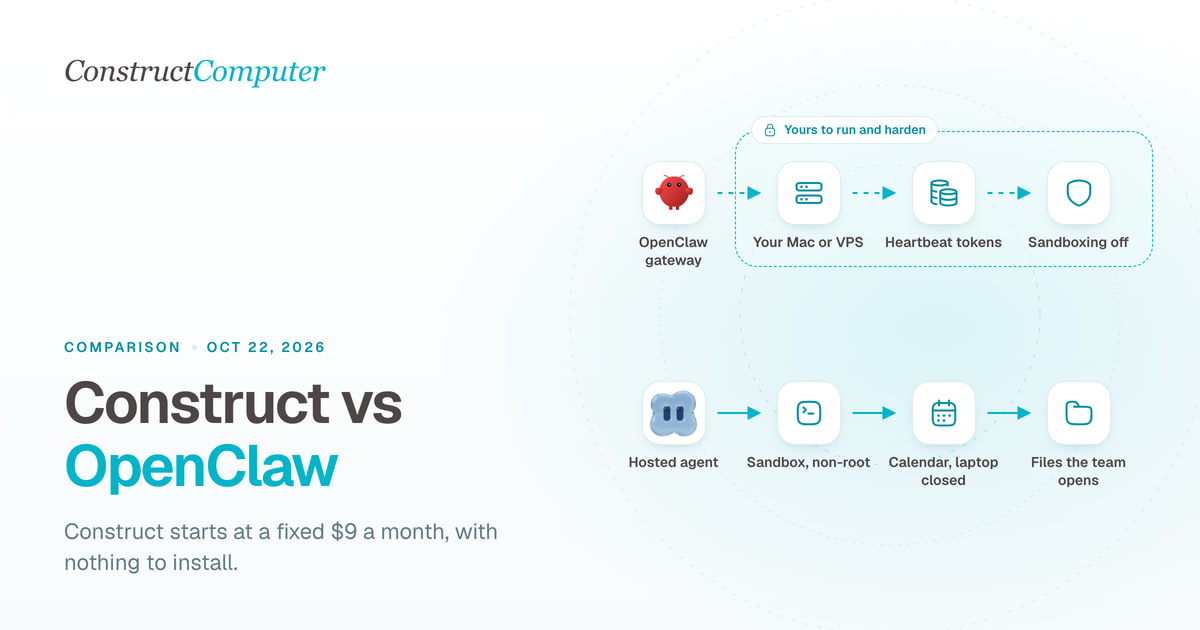
Construct is a hosted OpenClaw alternative for a fixed $9 a month, with nothing to install. OpenClaw is free, but you run the server and pay for tokens.

