Construct vs coding-focused agents

Construct Team · Editorial team
The team building and documenting Construct Computer.
Published · Updated · @use_construct
- comparison
- coding-agents
- ai-employee

On this page11 sections · 5 min read
- Why choose Construct over a coding agent?
- Methodology
- Side by side
- Different definitions of done
- Where does Construct do more for your team?
- A scenario that crosses the line
- Already using a coding agent? Add Construct in 15 minutes
- When might a coding agent still fit?
- Which should you choose?
- Sources
- Related resources
Construct gives your whole business an AI employee from $9 a month that handles the email, research, CRM updates, schedules, and code around a job, in one workspace that non-engineers can supervise. Coding agents such as Devin, GitHub Copilot's cloud agent, and Claude Code are documented around repositories, terminals, and pull requests, so their definition of done is a reviewable code change.
For founders and small teams, Construct is the better choice when the work is wider than the repo. It reads its own inbox, updates your apps, runs jobs on a schedule with your laptop closed, and leaves results anyone on the team can open without reading a diff. Keep your coding agent for the pull request and give Construct everything around it.
Why choose Construct over a coding agent?
- One agent for the whole job, not just the code. Construct triages email, researches, updates a CRM or tracker, and still has a sandbox terminal for the scripting in between.
- $9 a month to start. Lite includes 2 agents (Construct and one more), 50 steps per task, 3 scheduled tasks, and an agent email address.
- Results anyone can check. Files, sent messages, and Activity summaries sit in one web desktop, so an operations lead or founder can review the work without learning a repository interface.
- Schedules that run without you. Put a job on the Calendar and it runs on Construct's servers with your laptop closed: 3 scheduled tasks on Lite, 10 on Starter, 50 on Pro.
- Memory you can read and fix. Inspect what the agent knows about your customers and procedures, correct it, or forget it.
- A team workspace, no seats. Owner, Admin, and Member roles with no member limit, and the agent answers on the web, in Slack, Telegram, Discord, and by email.
Methodology
We build Construct. This is our editorial capability comparison using the linked public vendor documentation, first published on July 20, 2026, with Construct's plan details updated on October 1, 2026. It compares documented product models, not hands-on performance or every plan-specific feature.
Side by side
| Feature | Construct | Coding agents |
|---|---|---|
| Starting price | $9 a month (Lite), with a 7-day Pro trial | Varies by product and plan |
| Primary job | Cross-app business work, including code | Software engineering |
| Memory | Long-term memory you can inspect, correct, or forget | Repository and task context |
| Workspace | Browser, terminal, files, inbox, apps, and workflows in one place | Repository, terminal, CI, and pull requests |
| Scheduling | Calendar schedules and workflows that run with your laptop closed | Scheduled and event automation varies by product |
| Who supervises | Operators, founders, and technical teams | Software teams |
| Ways to reach it | Web, Slack, Telegram, Discord, and its own email inbox | Varies by product |
| Output | Files, messages, app updates, and code | Code changes and pull requests; tests depend on setup |
Coding agent sources: Introducing Devin, About Copilot cloud agent, and Claude Code overview. Construct's product guide explains how its workspace runs.
Different definitions of done
For a coding agent, done is a reviewable change: a branch, a diff, a test run, a pull request description. The repository is the context, and CI is the feedback loop.
For Construct, done is a completed outcome: a file saved, a message sent, a record updated, a summary posted, and sometimes code. Most business work looks like this, which is why a small team gets more out of a generalist than a specialist that only finishes the middle of the job.

Where does Construct do more for your team?
Work beyond the repo
Construct reads and replies from its own inbox, updates spreadsheets, schedules its own jobs, creates Google Calendar events when that app is connected, and replies in Slack when you @mention it. It reaches Gmail, Notion, Linear, Jira, GitHub, HubSpot, and other apps through its live integration catalog, plus custom MCP tools you add.
A desktop non-engineers can supervise
Construct shows live browser work, a read-only terminal transcript, files, inbox, Calendar, workflows, memories, connected apps, notifications, and Activity summaries in one web desktop. Reviewing a job means opening a file, reading a summary, or checking a sent message, and anyone can interrupt a running turn.
Silent product demo: Construct workspace settings for inviting teammates and controlling access, so people, the AI employee, files, and apps share one workspace.
Parallel work beyond software delivery
Construct delegates bounded subtasks to temporary agents and combines their results. Lite runs 2 background jobs at once, Starter 4, and Pro 8; additional jobs queue until a slot frees up.
A scenario that crosses the line
A customer reports a bug by email. The full job is: understand the report, reproduce it, fix it, tell the customer, and log it for the team.
Construct takes the whole span around the code: triage the inbox, extract the report, log the issue in your tracker, draft the customer reply, and schedule a follow-up for when the fix ships. If your team already uses a coding agent for the repository change, Construct hands it a clean, logged issue and handles the communication on both sides.
Already using a coding agent? Add Construct in 15 minutes
Keep your coding agent on the repository. Give Construct the intake and follow-up around it.
- Start on Lite for $9, or take the 7-day Pro trial for longer runs and your own model keys.
- Write the routine down as instructions, such as "check the support inbox each morning, log bug reports in Linear, and draft a reply to each customer," and paste it into a Construct chat.
- Connect the apps the job needs, such as your tracker and GitHub, from the integration catalog.
- Run it once and check the result in Files and the tracker.
- Put it on the Calendar so it runs every morning with your laptop closed.
There is no import from coding agents; write your conventions into the first instruction and Construct saves them as memory you can read. Two things to set up deliberately: each sandbox command runs for up to five minutes, so keep long builds and test suites in your CI; and workflows do not pause for approval yet, so ask for customer replies as drafts and send them yourself.
When might a coding agent still fit?
- The whole job is software engineering inside a repository.
- Everyone who reviews the work is a developer.
- Success is defined only by a tested, reviewable pull request.
For the email, research, scheduling, and app updates around engineering work, Construct is the better fit.
Which should you choose?
Choose Construct. It starts at $9, covers the email, research, CRM, schedule, and code in one job, and leaves results that non-engineers can review. If you already have a coding agent, keep it for the pull request and add Construct for everything around it.
Give Construct your support inbox first: ask it to log each bug report in your tracker and draft a reply to the customer, check the results, then put it on the Calendar for every morning. Start on Lite at $9, or try Pro free for seven days.
Sources
- Construct: AI employee product guide
- Construct pricing
- Cognition: Introducing Devin
- GitHub: About Copilot cloud agent
- Anthropic: Claude Code overview
Related resources
- AI employee product guide
- What is an AI employee?
- AI workflow automation guide
- All AI employee resources
Frequently asked questions
- Is Construct a good alternative to a coding agent for a small team?
- For work wider than the repository, yes. Construct starts at $9 a month and handles the email, research, CRM updates, schedules, and code around a job in one workspace that non-engineers can supervise. Coding agents are documented around repositories, terminals, and pull requests, so their definition of done is a reviewable code change.
- Can Construct write code like a coding agent?
- Construct has a sandbox terminal and can work with repositories, but code is one step in a broader business job. Each sandbox command runs for up to five minutes, so keep long builds and test suites in your CI, and keep a dedicated coding agent if a tested pull request is the whole job.
- What does Construct do that a coding agent does not?
- Construct reads and replies from its own inbox, updates spreadsheets, schedules its own jobs on the Calendar, creates Google Calendar events when that app is connected, and replies in Slack when you @mention it. Results land in workspace files that anyone on the team can open.
- Can I use Construct alongside a coding agent?
- Yes. Keep the coding agent on the repository and give Construct the intake and follow-up: triage the support inbox, log bug reports in your tracker, draft customer replies, and schedule a follow-up for when the fix ships. There is no import, so write your conventions into the first instruction.
- Can non-engineers supervise Construct?
- Yes. Live browser work, a read-only terminal transcript, files, inbox, Calendar, workflows, memories, connected apps, notifications, and Activity summaries appear in one web desktop, so anyone can review outputs and interrupt a running turn without reading a diff.
- When does a coding agent still make sense?
- When the whole job is software engineering inside a repository, when everyone who reviews the work is a developer, or when success is defined only by a tested, reviewable pull request.
Keep reading
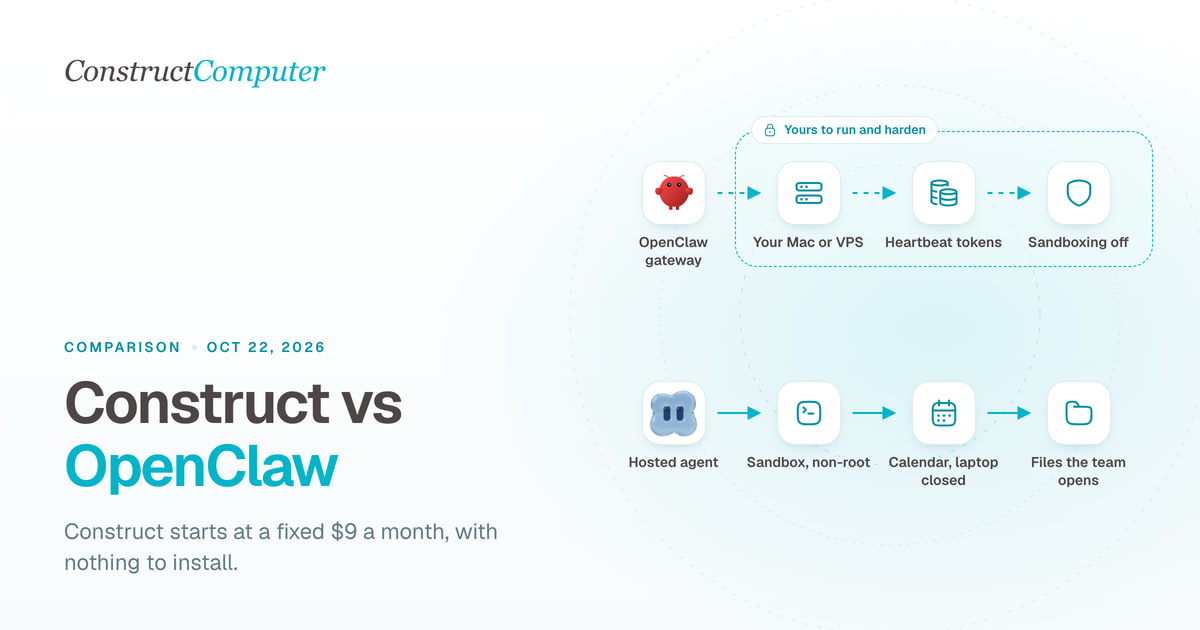
Construct vs OpenClaw
Construct is a hosted OpenClaw alternative for a fixed $9 a month, with nothing to install. OpenClaw is free, but you run the server and pay for tokens.
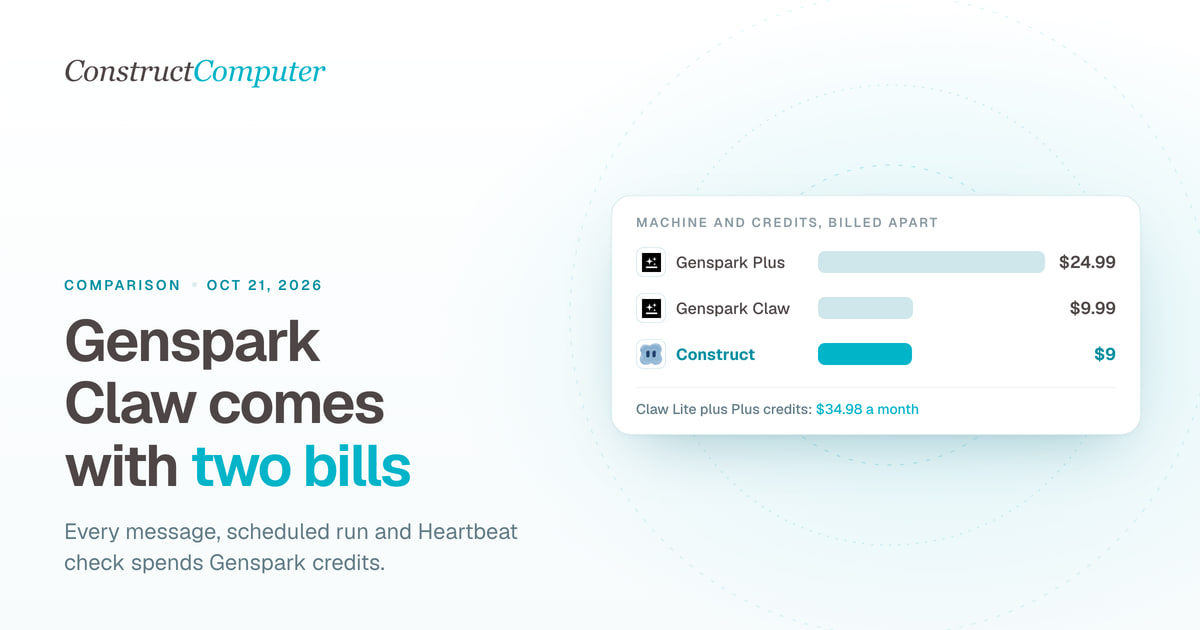
Construct vs Genspark Claw
Construct is a Genspark Claw alternative at a fixed $9 a month, model usage included. Claw's $9.99 cloud computer is billed apart from the credits it uses.
- comparison
- genspark
- ai-employee
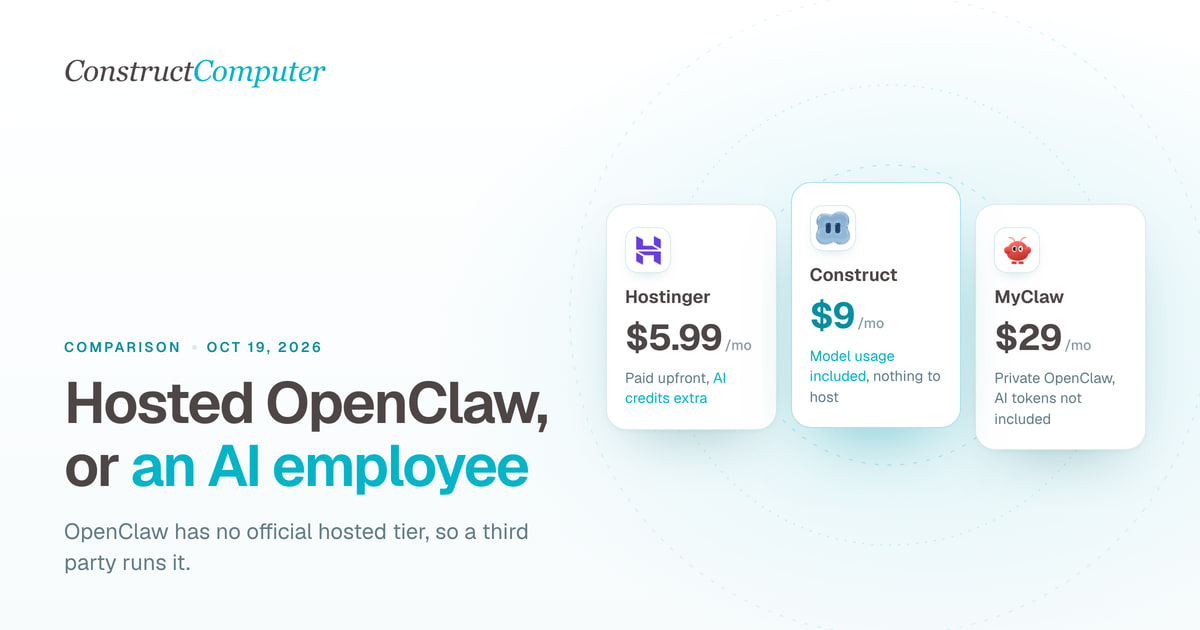
Hosted OpenClaw alternatives: managed claws vs an AI employee
OpenClaw has no official hosted tier. Compare Construct at $9 a month with managed OpenClaw hosts from $5.99, Genspark Claw, and hosted Hermes.
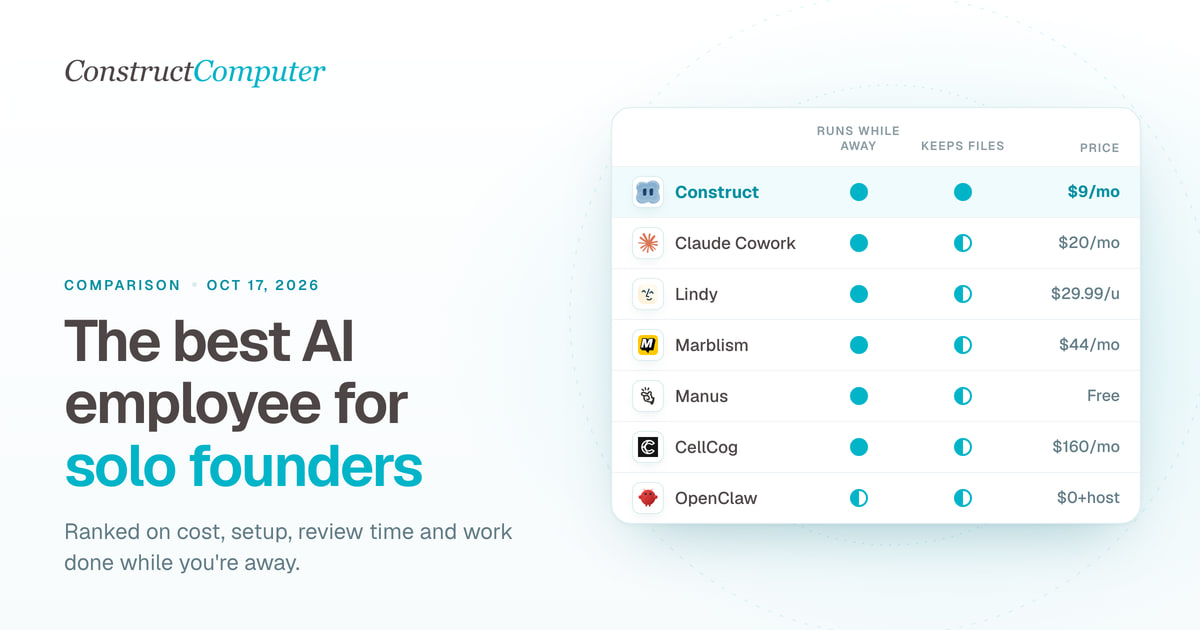
Best AI employees for solo founders (2026), ranked honestly
The best AI employee for solo founders, ranked: 8 picks compared on monthly cost, setup, and supervision. Construct leads at $9; most cost $9 to $44.

