Grok Bot Alternative: Construct vs Grok Bot

Construct Team · Editorial team
The team building and documenting Construct Computer.
Published · Updated · @use_construct
On this page12 sections · 8 min read
- Why choose Construct over Grok Bot?
- What is Grok Bot?
- Methodology
- Construct vs Grok Bot: features at a glance
- Grok Bot pricing vs Construct pricing
- Where does Construct give you more control?
- A practical example: the weekly client report
- Already using Grok Bot? Add Construct in 15 minutes
- When might Grok Bot still fit?
- Which should you choose?
- Sources
- Related resources
Construct gives you an AI employee with its own workspace, files, schedules, and email address from $9 a month, with no other subscription needed first. Grok Bot comes bundled with a Cursor Pro ($20) or SuperGrok ($30) subscription, and its settings documentation says Cursor manages model selection, with no model picker.
For founders and small teams, Construct is the better choice. It costs less to start, lets you bring your own model keys, keeps memory you can read and correct, and builds small private apps so your team can review repeated work in one place. Already have Grok Bot through Cursor or SuperGrok? Keep it, and give Construct the recurring jobs your team needs to see.
Why choose Construct over Grok Bot?
- $9 a month, on its own. Construct Lite includes 2 agents (Construct and one more), 3 scheduled tasks, and an agent email address. Grok Bot access arrives with a $20 Cursor Pro or $30 SuperGrok subscription.
- Your own model keys. Construct Pro runs on your keys for OpenRouter, OpenAI, Anthropic, Amazon Bedrock, or xAI. Grok Bot's settings documentation says Cursor manages model selection and there is no model picker.
- Memory you can read and fix. Open what Construct has learned, correct a fact, or forget it, so a stale preference stops costing you rework every week.
- Private apps for repeated work. Construct builds review queues and trackers inside your workspace, and a failed edit leaves the last working build in place.
- Work that outlives the run. Reports and files land in the workspace as they are produced, so a run that stops at step 30 keeps steps 1 to 29.
- One team workspace, many channels. Invite teammates as Owners, Admins, or Members with no member limit, and reach the agent from the web, Slack, Telegram, Discord, or its own email inbox.
What is Grok Bot?
Grok Bot is the agent product from the company behind Grok. You assign work to bots that use a cloud computer, sign into tools, and coordinate across tasks. The Grok Bot introduction describes parallel bots, shared context, routines learned by demonstration, and access through eligible Grok and Cursor subscriptions. Both products belong in the conversation about an AI employee for real business work.
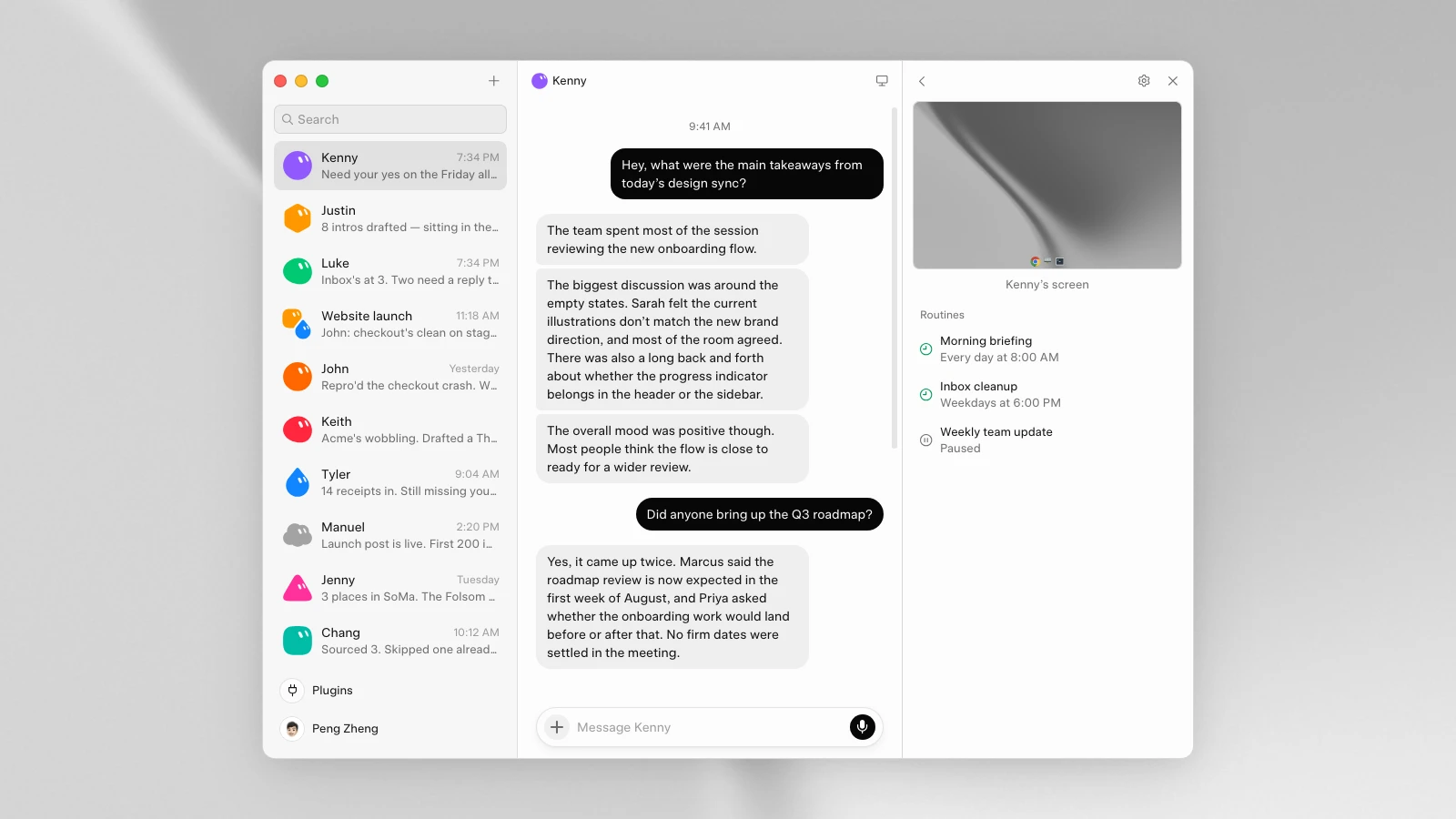
Grok Bot's interface illustration: named teammates on the left, conversation in the middle, and computer access and routines on the right. Captured from the
official Grok Bot design article
on September 10, 2026. Image: SpaceXAI.
Methodology
We build Construct. This is our editorial comparison of documented capabilities and published prices. Grok Bot facts were checked on September 10, 2026, and Construct's plan details were updated on October 1, 2026. It is not a hands-on performance benchmark. Where a capability is not documented in the Grok Bot sources we reviewed, we say so rather than treating missing documentation as proof of absence.
Construct vs Grok Bot: features at a glance
| Capability | Construct | Grok Bot |
|---|---|---|
| Starting price | $9 a month (Lite), no other subscription needed | Included with Cursor Pro ($20) or SuperGrok ($30) |
| Model choice | Bundled models, or your own keys for OpenRouter, OpenAI, Anthropic, Bedrock, xAI on Pro | Model selection managed by Cursor; no model picker in settings |
| Memory | Inspect, correct, or forget stored context | Remembers context and learns how you work |
| Files and workspace | Persistent workspace files, live browser runs, and sandbox terminal | Persistent cloud computer with browser, files, and terminal |
| Recurring work | Saved workflows and Calendar schedules: 3 on Lite, 10 on Starter, 50 on Pro | Scheduled routines, including workflows taught by demonstration |
| Private internal apps | Build, validate, and open an app inside the workspace | Equivalent managed workspace-app lifecycle not documented in reviewed sources |
| Team use | Team workspaces with Owner, Admin, and Member roles and no member limit | Multiple bots coordinating in shared threads |
| Ways to reach it | Web, Slack, Telegram, Discord, and its own email inbox | Desktop, iOS, and Android |
| Integrations | Live integration catalog, browser, terminal, and custom MCP tools | App sign-ins, connector plugins, and public bot marketplace |
Grok Bot's computer and apps guide, settings guide, and product page document its capabilities. Construct's product guide explains how its workspace runs.
Grok Bot pricing vs Construct pricing
Construct is priced per plan, with no per-seat fee. Grok Bot has no standalone price: access comes with an eligible subscription. These are USD prices billed monthly, without annual discounts.
| Construct Lite | $9 | Up to 2 agents (Construct and one more), 50 steps per task, 3 scheduled tasks, agent email address |
| Construct Starter | $59 | 6x Lite usage, up to 5 agents, 150 steps per task, 10 scheduled tasks |
| Construct Pro | $299 | 32x Lite usage, up to 15 agents, up to 1,000 steps per task, 50 scheduled tasks, your own keys |
| Cursor Pro with Grok Bot | $20 | Grok Bot access and included weekly Bot usage |
| SuperGrok with Grok Bot | $30 | Grok Bot access alongside the Grok subscription |
Sources: Construct pricing and Grok Bot pricing. Grok Bot's August 26 access expansion added SuperGrok and Cursor Pro, so older launch comparisons that show a higher entry price are out of date.
What this means for your budget:
- Starting from zero: Construct Lite costs $11 a month less than Cursor Pro and $21 a month less than SuperGrok, and it already includes 3 scheduled tasks and an agent email address.
- Already paying for Cursor or SuperGrok: for $9 more, Construct adds an independent workspace whose files, schedules, and memory your whole team can open.
- Bringing your own model access: Construct Pro at $299 runs on your provider keys, either as a fallback after bundled limits or for every run. Your keys bill you directly when they are used.

Where does Construct give you more control?
Both products give an agent a computer. Construct also lets you decide which tools it reaches, how your team reviews its output, which model it runs on, and what it remembers.
Connect the tools your business actually uses
Construct finds supported applications through its live integration catalog, including Gmail, Notion, Linear, GitHub, HubSpot, and Airtable. You can also add custom MCP tools, so the agent reaches a system through an interface your team provides.
An agency that keeps client approvals in a small internal service, for example, can expose the current approval status as a custom tool. Construct then reads it alongside the report files, without waiting for a new catalog entry.
Give repeated work a small internal app
A report in chat works until several people need to review it. Then you want an owner, a status, a filter, and a place to mark it ready.
Construct builds a private workspace app for that process. The source stays in Files, a successful build opens on the desktop, and a failed edit leaves the last successful build available. Our internal-tools guide shows how it works.
Silent product demo: Construct prepares a Lead Tracker app, opens its leads view, and shows the form for adding a lead with contact details, status, source, and notes. The app becomes a reusable interface inside the workspace.
A small team gets a focused review queue without starting a separate hosting project. Each workspace app declares its permissions, and a finished app does not inherit every tool the agent that built it can use.
Bring your own model keys when you need them
Construct Pro supports credentials for OpenRouter, OpenAI, Anthropic, Amazon Bedrock, and xAI. BYOK can be off, used as an automatic fallback after bundled limits, or set for exclusive use, as the Construct terms explain. Choosing Construct does not mean giving up xAI: use it through your own key today and switch providers next quarter without moving a single file.
Correct the context behind the work
An agent that remembers an old preference creates extra work every week. Construct lets you inspect stored memory, correct a fact, or forget it. If a client changes its reporting format, you update the fact once and every later job uses it. The memory guide explains how, and Activity records each action with a short reason so you can trace what a recent run did.
A practical example: the weekly client report
Imagine a small agency preparing a Friday account update. This is an illustrative workflow, not a customer case study or a measured comparison.
Save the client list and reporting instructions in the Construct workspace and connect the service that holds the numbers. Ask the agent to read this week's records, compare them with the previous report, and save a draft with links to its sources. Check the first draft by hand.
Once it is right, save the steps as a workflow and put it on the Calendar, where it uses one of Lite's 3 scheduled tasks and runs whether or not anyone is online. Dated reports give next week's job a reference, and a small workspace app can track who has checked each one. The workflow guide walks through each step.
Already using Grok Bot? Add Construct in 15 minutes
You do not have to cancel Cursor or SuperGrok. Start with the one recurring job your team most needs to see.
- Start on Lite for $9, or take the 7-day Pro trial to test your own model keys and longer runs.
- Copy the instructions you gave your bot into a Construct chat, and move the source files into the workspace.
- Connect the apps the job needs from the integration catalog.
- Run it once and check the result in Files.
- Put it on the Calendar so it runs every week with your laptop closed.
There is no import: bots, credentials, and learned memories do not transfer. Write your rules into the first instruction and Construct saves them as memory you can read. One thing to set up deliberately: Construct's workflows run in a straight line and do not pause for approval yet, so for anything customer-facing, ask for drafts and send them yourself once you have checked them.
When might Grok Bot still fit?
- You already pay for Cursor Pro or SuperGrok and only want to try the included Bot allowance.
- You prefer teaching a routine by demonstrating it rather than describing it.
- You want several named bots coordinating with each other in shared threads.
For recurring team work that needs files, schedules, your own model keys, and memory you can correct, Construct is the better fit.
Which should you choose?
Choose Construct. It starts at $9 with no other subscription, runs on your own model keys when you want them, keeps memory you can correct, and gives your team files, schedules, and private apps in one workspace. If you already have Grok Bot through Cursor or SuperGrok, keep it for your own tasks and let Construct run the work your team depends on.
Give Construct the Friday client report that keeps slipping into your evening. Save the inputs in the workspace, describe what a finished report contains, and judge the saved file. Start on Lite at $9, or try Pro free for seven days.
Sources
- Grok Bot: features, access, and current pricing
- Introducing Grok Bot
- Grok Bot public marketplace
- Grok Bot access expansion, August 26, 2026
- Grok Bot computer and apps documentation
- Grok Bot settings and model selection
- Grok Bot design article and image source
- Construct pricing
- Construct terms, including BYOK
- Construct product guide
- Construct internal workspace apps
Related resources
- AI employees for small business: 10 platforms compared
- Construct vs ChatGPT Dots
- AI agent memory you can control
- AI workflow automation
- How to choose an AI agent platform for your team
- Construct vs building your own AI agent
Frequently asked questions
- Is Construct a good Grok Bot alternative?
- Yes, for most founders and small teams. Construct starts at $9 a month with no other subscription needed, runs on your own keys for OpenRouter, OpenAI, Anthropic, Amazon Bedrock, or xAI on Pro, lets you inspect and correct what it remembers, and keeps finished work, schedules, and private apps in one team workspace.
- How much does Grok Bot cost compared with Construct?
- Grok Bot has no standalone price. As of September 10, 2026, access comes with Cursor Pro at $20 a month or SuperGrok at $30 a month. Construct Lite costs $9 a month and includes 2 agents (Construct and one more), 3 scheduled tasks, and an agent email address. Starter is $59 with 10 scheduled tasks, and Pro is $299 with 50 scheduled tasks and your own model keys.
- Can I use xAI model keys with Construct?
- Yes. Construct Pro supports your own keys for xAI, OpenRouter, OpenAI, Anthropic, and Amazon Bedrock, either as a fallback after bundled limits or for every run. Your keys bill you directly when they are used. Grok Bot's settings documentation says Cursor manages model selection and there is no model picker.
- Can I use Construct alongside Grok Bot?
- Yes. Keep Grok Bot through Cursor or SuperGrok for your own tasks and give Construct the recurring jobs your team needs to see. There is no import, so copy the bot's instructions into Construct, move the source files into the workspace, connect the apps, run the job once, and then put it on the Calendar.
- When does Grok Bot still make sense?
- When you already pay for Cursor Pro or SuperGrok and only want to try the included Bot allowance, when you prefer teaching a routine by demonstrating it, or when you want several named bots coordinating in shared threads. For recurring team work with files, schedules, your own model keys, and correctable memory, Construct fits better.
Keep reading
Construct vs Zapier, Make, and n8n
Compare Construct with Zapier, Make, and n8n for deterministic workflows, agentic steps, scheduling, and ambiguous multi-step work.
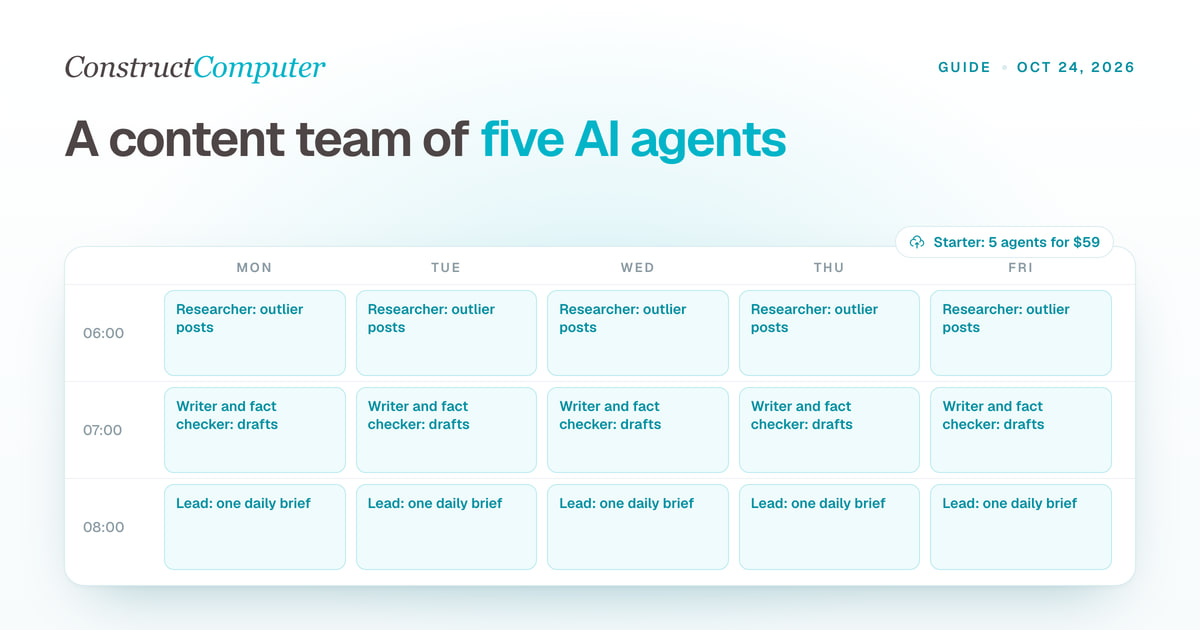
AI agents for content creation: build a content team in Construct
Set up a team of AI agents for content creation: a lead, a researcher, a writer, a fact checker and an analyst, with role prompts, schedules and a daily brief.
How to Run an AI Agent on a Schedule With Your Laptop Closed
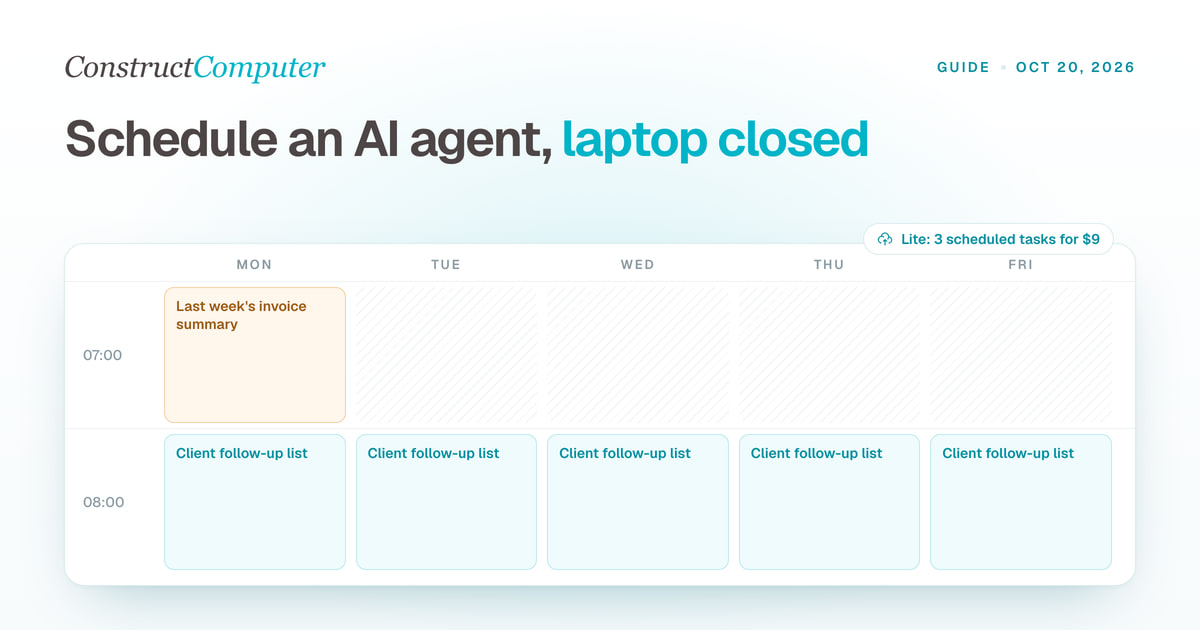
Run AI agent scheduled tasks in the cloud with your laptop shut. Construct includes 3, 10, or 50 by plan, from $9 a month. Steps, prompts, and limits.
Agent reliability calculator: how many steps will your agent finish?
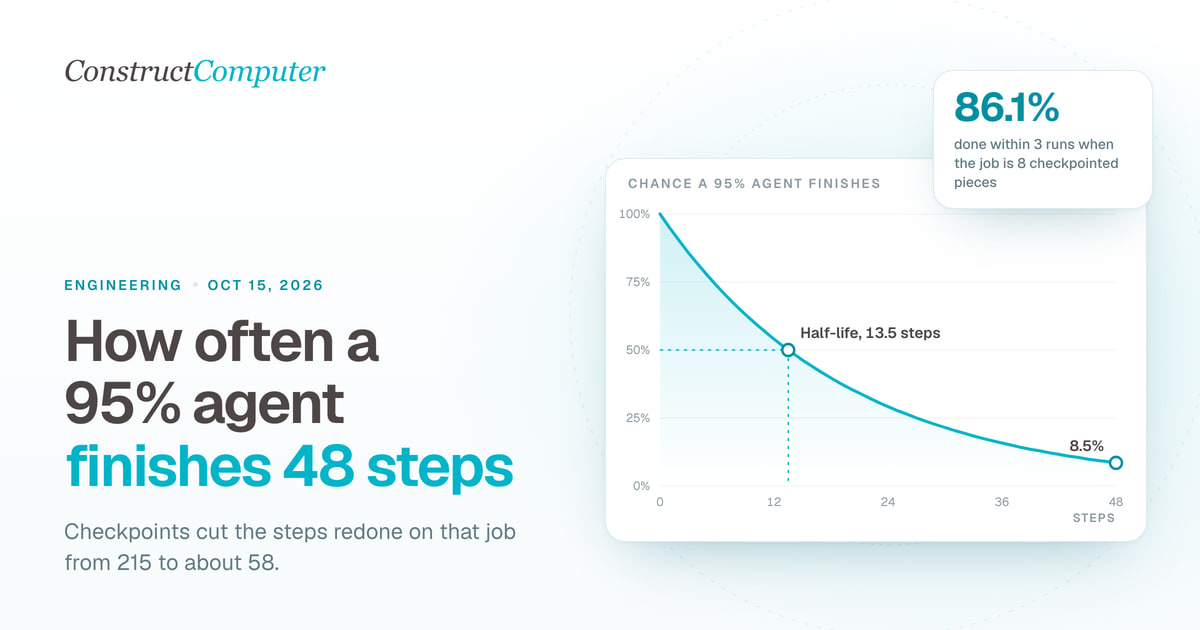
AI agent reliability calculator: a 95% reliable agent finishes a 48-step job in one run 8.5% of the time. See retries, half-life, and what checkpoints fix.

