Dots vs Muse vs Grok Bot vs Claude Cowork for a small business

Construct Team · Editorial team
The team building and documenting Construct Computer.
Published · @use_construct
On this page15 sections · 16 min read
- Why choose Construct instead of these four?
- Always-on AI agents at a glance: Construct, Dots, Muse, Grok Bot, and Claude Cowork
- What does each always-on agent cost a three-person business?
- ChatGPT Dots
- Muse for Small Business
- Grok Bot
- Claude Cowork
- Grok Bot vs Claude Cowork vs Dots vs Muse: the small-business lens
- An illustrative example: a three-person design studio
- Already using one of these? Add Construct in 15 minutes
- When might one of these still fit?
- Which always-on AI agent should a small business choose?
- Methodology
- Sources
- Related resources
Of the always-on AI agents a small business can buy today, Construct gives you one with its own workspace, files, schedules, and email address from $9 a month, and from $59 one plan covers a whole team workspace with no per-seat fee. The four big-lab agents cost a three-person business from $0 (Muse's free tier) to $375 a month (three ChatGPT Business Premium seats at $125 for Dots), with Claude Team at $75 and Cursor Teams with Grok Bot at $120 in between, and each one needs an account in its maker's ecosystem: Meta, ChatGPT, Claude, or Cursor.
For founders and small teams, Construct is the better choice. It works without any of those accounts, keeps every finished file in a workspace the team shares, lets you read and correct what the agent remembers, and its price does not rise with each person you add. Already paying for one of the four? Keep it for personal work and give Construct the recurring jobs your team depends on.
Why choose Construct instead of these four?
Construct is priced per plan rather than per person, needs no other subscription, and leaves finished work as files your whole team can open.
- One plan for the whole team, not one seat per person. A Construct team workspace has Owner, Admin, and Member roles, no member limit, and everyone's work draws on the owner's plan. The same three people pay $75 to $375 a month on the per-seat plans below.
- No ecosystem to join first. You sign up for Construct directly. You do not need a Meta account, a ChatGPT Pro seat, a Cursor plan, or a paid Claude plan.
- Work that outlives the chat. Reports, spreadsheets, and scripts land in workspace files as the agent produces them, so a run that stops at step 30 still leaves steps 1 to 29 behind, and next week's run starts from last week's file.
- Recurring jobs on a Calendar. Save a job as a workflow and schedule it. Calendar runs happen on Construct's servers with your laptop closed: 3 scheduled tasks on Lite, 10 on Starter, 50 on Pro.
- Memory you can read and fix. Open what Construct has learned, correct a fact, or delete it before the next run relies on it.
- It answers where your team already talks. The web app, Slack, Telegram, Discord, and its own email inbox, with the same workspace behind every channel.
Silent product demo: Construct is reached through Slack, Telegram, Discord slash commands, native email, and the web, with the same workspace behind each channel.

Always-on AI agents at a glance: Construct, Dots, Muse, Grok Bot, and Claude Cowork
All five keep working after you close the app, but only Construct is sold per workspace with no seat fee and no other subscription to buy first.
| Construct | ChatGPT Dots | Muse for Small Business | Grok Bot | Claude Cowork | |
|---|---|---|---|---|---|
| Entry price | Lite, $9 | Included with ChatGPT Pro, from $100 | Free; Power $20 and Max $100 | Cursor Individual, $20 | Claude Pro, $20 |
| Team price | Team workspace with no per-seat fee; Starter at $59 for team volume | Business Premium, $125 per seat | No team plan found | Cursor Teams, $40 per user | Team Standard, $25 per seat (2 seat minimum) |
| Account needed | A Construct account only | ChatGPT Pro or Business Premium | Meta account, 18 or over | Cursor, SuperGrok, or X Premium+ | Any paid Claude plan |
| Where finished work lives | Workspace files the team shares; a stopped run keeps its finished steps | Inside ChatGPT | Your Muse Secure VM | The shared Bot computer | Your Claude account |
| Recurring work | Calendar runs prompts, actions, or workflows: 3, 10, or 50 by plan | Background research is read-only | Keeps working after you close the app | Saved skills rerun on a schedule | Hourly, daily, weekly, or weekdays |
| Where you talk to it | Web, Slack, Telegram, Discord, its own email inbox | ChatGPT, Slack, Teams | Muse apps and web; WhatsApp per DataCamp | Desktop and mobile apps, @bot on X | Claude web, desktop, mobile; Slack via Claude Tag on Team |
| Its own computer | Cloud workspace with files, a live browser, and a terminal | Yes, one per dot | Yes, Muse Secure VM | Yes, one shared by all your Bots | Cloud tasks; local files through the desktop app |
| Approvals | Drafts for your review; Activity records each action and why | Custom Rules: allow, block, or require approval | Nothing sends or spends without approval | Auto Review rules; drafts approved before sending | Waits for approval before sending, posting, or paying by default |
| Regions | Sign up directly; no other subscription needed | Pro excludes EEA, Switzerland, UK | US and Canada only | Not listed; @bot on X not in every region | UK, EU, Switzerland, Canada listed |
| Launched | Available today | September 29, 2026 | September 29, 2026 | August 11, 2026, in beta | Cloud sessions July 7, 2026; merged into Claude September 16 |
Sources for every competitor cell are in the sections below and listed at the end; Construct's limits are on the pricing page. OpenAI's Dots pages and xAI's pricing page refused our requests on October 11, 2026, so the Dots row relies on launch coverage and the Grok Bot row on xAI's and Cursor's documentation.
What does each always-on agent cost a three-person business?
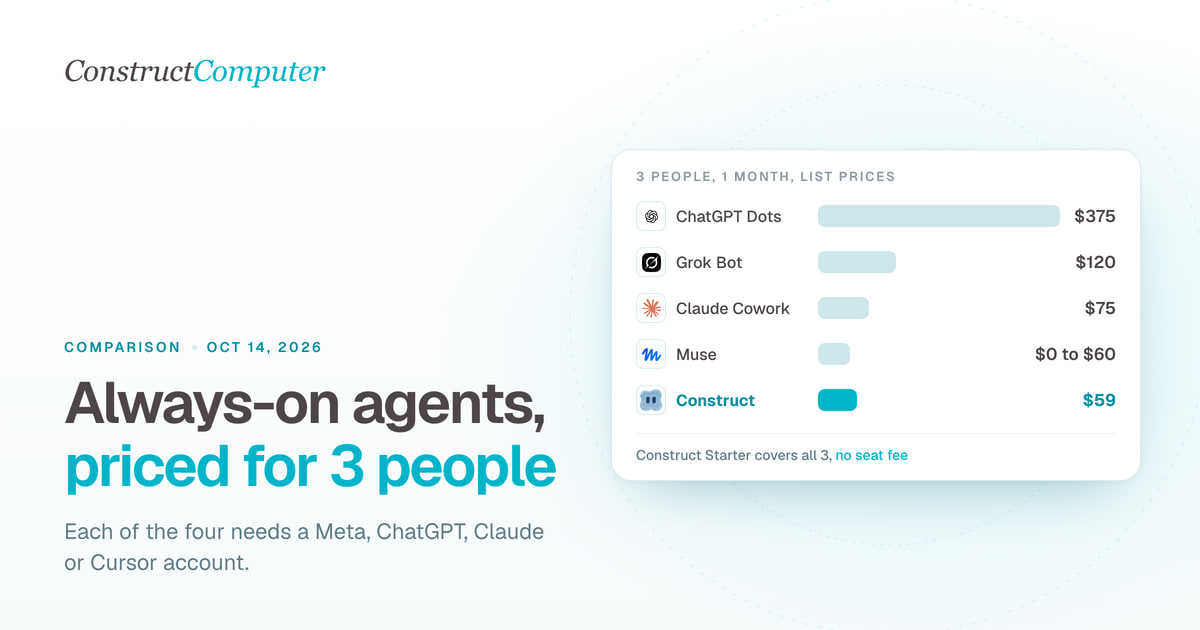
Construct Starter covers three people for $59 a month; the per-seat options run from $75 (Claude Team) to $375 (ChatGPT Business Premium), and Muse is free only because each person gets a separate personal agent.
| Construct | Starter, one team workspace | $59 | Up to 5 agents shared by all three, with no per-seat fee |
| Muse for Small Business | Three free accounts, or Power at $20 each | $0 to $60 | Three separate personal agents |
| Claude Cowork | Team Standard, $25 per seat | $75 | A shared organization with owner controls |
| Grok Bot | Cursor Teams, $40 per user | $120 | Grok Bot access for every member |
| ChatGPT Dots | Business Premium, $125 per seat | $375 | One dot per seat |
These are subscription prices, not the cost of a finished job. Muse meters in weekly tokens, Grok Bot in weekly usage, Claude in usage limits that multi-step tasks use faster than chat, and Dots' usage terms after the launch month are unpublished. Construct's per-plan limits are on the pricing page, and a fourth or fifth teammate does not change the bill.
ChatGPT Dots
Dots are OpenAI's always-on agents inside ChatGPT: the first dot comes with a ChatGPT Pro plan (from $100 a month) or a Business Premium seat, it runs only on GPT-6 Astra, and Pro subscribers in the UK, the EEA, and Switzerland do not get one.
Each dot has its own cloud computer and browser and connects to more than 4,000 apps through plugins. You reach it in ChatGPT on desktop, web, and mobile, or in Slack and Microsoft Teams, with texting listed as coming later (The Next Web). When you are away it does "proactive research" with read-only app access, so it cannot send messages or change content in that time.
Price, checked October 11, 2026: The Next Web says dots are included in Pro and Business Premium plans. Carly and eesel list all three Pro tiers, at $100, $200, and $500 a month, while BGR reported at launch that dots "are only available on ChatGPT's Pro 200 and Business Premium plans." eesel, citing OpenAI's business pricing page, lists Business Premium at $125 per seat monthly or $100 billed annually. Talking to a dot does not count against plan limits, but tasks it starts in ChatGPT Work or Codex do, and from October 30, 2026, Pro 200's included Work and Codex usage halves to 10 times Plus at the same $200 (Beam). The price of extra dots has not been disclosed (SiliconANGLE).
Watch for: the highest team price of the four, a single model, and usage terms after the launch month that OpenAI has not published. OpenAI itself warns that "Dots can still make mistakes, so always review consequential work," according to The Next Web. Our Construct vs ChatGPT Dots comparison goes deeper, and our ChatGPT Dots alternatives list covers options that do not need ChatGPT Pro.
Muse for Small Business
Muse is Meta's personal AI agent, free to start with Power at $20 and Max at $100 a month, and it is available only to adults in the US and Canada.
Muse runs on a dedicated "Muse Secure VM," where a separate service called Sentinel is "the sole permission authority for connector actions and network egress" (Meta), and Meta says it keeps working after people close the app (Meta). The business version connects to Asana, Box, Canva, Dropbox, Figma, Granola, HighLevel, QuickBooks, Klaviyo, Lovable, Notion, Shopify, Slack, Stripe, and Zoom, plus Facebook and Instagram business accounts (Meta). Since October 7, it also has an iPad app (9to5Mac).
Is Muse free?
Yes, with a usage limit Meta does not publish in numbers. Power is $20 a month for 500M Muse tokens per week and Max is $100 for 3B tokens per week (Meta Help Center). DataCamp reports that "Muse requires a payment card to get started, even on the free tier" (DataCamp).
Watch for: it is a personal agent on one Meta account, available "to people in the US and Canada who are 18 and over" (Muse). The pages we read mention no way to add staff, roles, or shared access. Our Construct vs Muse comparison covers the differences in detail.
Grok Bot
Grok Bot is xAI's always-on agent, launched in beta on August 11, 2026; it has no standalone price and comes with Cursor plans from $20 a month or with eligible xAI subscriptions.
Grok Bot gives you named Bots on "a persistent cloud computer with a browser, filesystem, and terminal," and closing the app, laptop, or phone does not stop a background turn or a routine (Grok Bot docs). A Bot can save a path you walk it through as a skill and rerun it on a schedule. It runs on macOS, Windows, Linux, iPhone, iPad, and Android. On October 9, 2026, Bots gained their own email addresses on the @mail.grokbot.com domain, and 9to5Mac reports an "intelligence upgrade with the help of Anthropic's Claude" earlier that week (9to5Mac).
Is Grok Bot free, and how much does it cost?
No. Cursor's free Hobby plan does not list it. Cursor lists "Grok Bot access" on Individual at $20 a month and Teams at $40 per user (Cursor pricing), and every self-serve Teams member gets access (Cursor help). SuperGrok, SuperGrok Plus, SuperGrok Heavy, and X Premium+ give linked usage, while SuperGrok Lite does not include Grok Bot. Usage resets weekly. xAI's own pricing page refused our requests, so we do not list SuperGrok prices.
Watch for: all your Bots share one computer, and xAI says each Bot's screen is a separate work surface, "not separate security boundaries." Browser sessions and files are shared, so "Do not place a credential or file on it if another Bot on your account should not be able to use it" (Grok Bot computer and apps). "Cursor manages model selection, so there is no model picker" (Grok Bot settings). More in our Grok Bot comparison.
Claude Cowork
Claude Cowork is Anthropic's mode for multi-step work, included with every paid Claude plan from Pro at $20 a month, with Team seats at $25 for small businesses.
Cowork went to the web and mobile on July 7, 2026 (Automaton Agency). Cloud sessions keep running when the desktop app is closed or your computer is asleep, though cloud tasks are still in beta on Team and Enterprise plans and work that needs local files runs through the desktop app (Claude Help Center). On October 6, 2026, new Cowork tasks on Pro and Max moved to the cloud (Claude Help Center). On September 16, Anthropic merged Cowork and chat into one Claude, starting with Pro and Max (Claude blog). Scheduled tasks run hourly, daily, weekly, or on weekdays, even when your computer is asleep, unless they need local files or apps (Claude Help Center).
How much does Claude Cowork cost for a small business?
Pro is $20 a month ($17 billed annually), Max starts at $100, and Team is for 2 to 150 people, with Standard seats at $25 monthly ($20 annually) and Premium at $125 ($100 annually) (Claude pricing). Claude for Small Business, on every paid plan, adds 43 workflows such as a Monday brief and month-end close, and 27 new integrations including Shopify, Xero, Gusto, Square, and Stripe. Anthropic recommends Team for businesses with more than one person.
Watch for: multi-step tasks use more of your usage than a quick question, every teammate needs a seat, and putting Claude in Slack through Claude Tag on Team bills channel work by usage on top of seats.
Grok Bot vs Claude Cowork vs Dots vs Muse: the small-business lens
The choice between the four comes down to which account your business already has, where you operate, who can see the agent's data, and what it does before it acts.
Which account do you need?
Muse needs a Meta account, Dots need ChatGPT Pro or Business Premium, Grok Bot needs Cursor or an eligible xAI subscription, and Cowork needs a paid Claude plan. If your business runs on none of them, picking one means choosing an ecosystem, not just an agent. Construct needs only its own sign-up, and Pro lets you bring keys for OpenRouter, OpenAI, Anthropic, Amazon Bedrock, or xAI if you want a particular lab's models.
Which always-on agents work in the UK and EU?
Claude does, and so do Dots on Business Premium; Muse and Dots on Pro do not. Muse for Small Business is US and Canada only. Dots on Pro exclude the EEA, Switzerland, and the UK, though Business Premium works in every supported ChatGPT region (The Next Web). Anthropic lists the UK, all EU countries, Switzerland, and Canada as supported (Anthropic). The Grok Bot documentation lists no regions, beyond saying that tagging @bot on X "is not available in every region yet."
What data can it reach, and who else sees it?
- Construct does not train on your data. Memory is visible and editable, and Activity records each action, what it touched, and why for the last 30 days.
- Muse keeps your data and credentials in your VM and says it "doesn't share a person's conversations or the data in their VM with Meta's ad systems." You can opt out of your interactions being used to train Meta's models.
- Dots connect through plugins; background research is read-only.
- Grok Bot shares files, browser logins, and app logins across all of your Bots.
- Claude uses your personal connectors in Cowork. On consumer plans, Anthropic trains on your chats if you choose to allow it, if a conversation is flagged for safety review, or if you otherwise opt in (Anthropic privacy). Anthropic says it does not train on business data on Team and Enterprise plans by default (Claude blog).
What needs your approval?
Muse says "nothing publishes, sends or spends without your approval" (Muse). Dots let you write Custom Rules to allow, block, or require approval for specific actions. Grok Bot uses Auto Review rules that an admin can enforce for the team (Grok Bot settings). Claude for Small Business waits for approval "before anything sends, posts, or pays" by default, and on Team plans owners decide whether members can let Google actions such as sending Gmail run without asking (Claude Help Center).
In Construct, set this up deliberately: its workflows do not pause for approval yet, so for anything customer-facing, ask for drafts and send them yourself once you have checked them. Our guide to letting an AI agent use your Gmail safely shows the setup.
An illustrative example: a three-person design studio
This is an illustrative scenario, not a customer case study or a measured test.
A three-person studio runs on Google Workspace, keeps clients in HubSpot, and posts work on Instagram. It wants a Monday summary of open client emails, unpaid invoices, and last week's Instagram results.
- Construct on Starter at $59 connects Gmail and HubSpot from the integration catalog, writes the summary to a dated file in the team workspace, and runs every Monday from the Calendar. All three partners open the same file, and the bill is the same for three people as it would be for six.
- Muse covers the Instagram part and is available in Canada, but each partner would have a separate agent.
- Dots would cost $375 a month on Business Premium.
- Grok Bot costs $120 a month on Cursor Teams unless someone already pays for Cursor.
- Claude Team at $75 a month can schedule the summary in Cowork; putting Claude in the studio's Slack through Claude Tag adds usage-based charges for channel work.
How to test this yourself
Run the same Monday summary on each agent you are considering, with the same test inbox and CRM, for two weeks. Record:
- Minutes from sign-up to the first usable summary.
- How many open client emails and unpaid invoices it caught, out of the ones you know about.
- Every approval prompt, and anything it sent or changed that you did not ask for.
- Where the summary was saved, and whether your teammates could open it without their own seat.
- What the two weeks cost, including any usage beyond the plan.
Already using one of these? Add Construct in 15 minutes
You do not have to cancel anything. Move the one recurring job your current agent handles least reliably, or the one your teammates need to see.
- Start on Lite for $9, or take the 7-day Pro trial to test your own model keys and longer runs.
- Copy the instructions you gave your current agent into a Construct chat, and move the source files into the workspace.
- Connect the apps the job needs from the integration catalog.
- Run it once and check the result in Files.
- Put it on the Calendar so it runs every week whether or not anyone is online.
There is no import from Dots, Muse, Grok Bot, or Claude: write your rules into the first instruction, and Construct saves them as memory you can read and correct.
When might one of these still fit?
- You sell and advertise on Instagram and Facebook in the US or Canada and want an agent that reads your Meta business accounts directly (Muse).
- Your company already pays for ChatGPT Business Premium and needs custom approval rules on every account action today (Dots).
- One person already pays for Claude Pro or Cursor and only wants a personal assistant (Cowork or Grok Bot).
For a team's recurring work that needs shared files, schedules, and one price for everyone, Construct is the better fit.
Which always-on AI agent should a small business choose?
Choose Construct. It starts at $9, covers a three-person team for $59 instead of $75 to $375, needs no Meta, ChatGPT, Claude, or Cursor account, keeps every finished file in a workspace the whole team shares, and lets you correct what it remembers. If someone already has one of the four, keep it for personal follow-ups and let Construct run the work the team depends on.
Give Construct your Monday summary first: connect your inbox and CRM, ask for a dated file listing open client emails and unpaid invoices, check it once, and put it on the Calendar. Start on Lite at $9, or try Pro free for seven days.
Methodology
We build Construct. This is our editorial comparison of documented capabilities and published prices, checked on October 11, 2026. It is not a hands-on performance benchmark.
We compared the four always-on agents that small businesses have most often weighed against each other since September, plus Construct. Prices are in US dollars at monthly billing unless noted. OpenAI's Dots announcement, help center, and pricing pages, and xAI's pricing page and Grok Bot changelog, refused automated requests on October 11, so we used launch coverage and vendor documentation and say where sources disagree. Where a capability is not documented in the sources we reviewed, we say so rather than assume it is missing.
Sources
Pages checked on October 11, 2026:
- The Next Web: OpenAI launches dots
- SiliconANGLE: OpenAI launches Dots
- BGR: OpenAI DevDay 2026 announcements
- Carly: ChatGPT Dots plans, costs, and limits and eesel: OpenAI Dots pricing
- Beam: Dots usage limits and the Pro 200 change
- Meta: Muse for Small Business, Meta: Introducing Muse, and Muse business page
- Meta: Security and safety for AI agents with Muse
- Meta Help Center: Muse subscriptions
- DataCamp: Meta Muse and 9to5Mac: Muse for iPad
- xAI: Introducing Grok Bot, Grok Bot overview, computer and apps, and settings
- 9to5Mac: Grok Bot gets its own email address
- Cursor pricing and Grok Bot plans
- Claude Help Center: get started with Cowork, Cowork on web, desktop, and mobile, and scheduled tasks
- Claude blog: Cowork and chat are now one Claude
- Automaton Agency: Claude Cowork on mobile and web
- Claude Tag overview
- Claude blog: Claude for Small Business
- Claude pricing and Google Workspace connectors
- Anthropic supported countries and Anthropic: is my data used for training?
- Construct pricing
Related resources
- Construct vs ChatGPT Dots
- Construct vs Muse for Small Business
- Grok Bot alternative: Construct vs Grok Bot
- ChatGPT Dots alternatives
- Muse for Small Business alternatives
- What is an AI agent with its own computer?
- AI employees for small business: 10 platforms compared
Frequently asked questions
- Which always-on AI agent is cheapest for a three-person team?
- Muse for Small Business is $0 on its free tier, but that buys three separate personal agents. Construct Starter is $59 a month for one shared team workspace with up to 5 agents and no per-seat fee. Claude Team Standard is $75 at $25 per seat, Cursor Teams with Grok Bot is $120 at $40 per user, and ChatGPT Business Premium with Dots is $375 at $125 per seat. These are subscription prices, not the cost of a finished job.
- Is Grok Bot free, and how much does it cost?
- No. Cursor's free Hobby plan does not list Grok Bot. It comes with Cursor Individual at $20 a month or Cursor Teams at $40 per user, or as linked usage with SuperGrok, SuperGrok Plus, SuperGrok Heavy, or X Premium+. SuperGrok Lite does not include it, and usage resets weekly. xAI's pricing page refused our requests, so the post does not list SuperGrok prices.
- Is Meta Muse free for a small business?
- Yes, with a usage limit Meta does not publish in numbers. Power costs $20 a month for 500M Muse tokens per week and Max costs $100 for 3B tokens per week. DataCamp reports a payment card is required even on the free tier. Muse is a personal agent on one Meta account, available only to people 18 and over in the US and Canada, and the pages we read mention no way to add staff.
- Grok Bot vs Claude Cowork: which suits a small business better?
- It depends on the account you already have. Grok Bot comes with Cursor or eligible xAI plans, and all your Bots share one computer, files, and logins, which xAI says are not security boundaries. Claude Cowork comes with any paid Claude plan, with Team seats at $25, runs scheduled tasks hourly to weekly, and waits for approval before sending, posting, or paying by default. Both bill per person; Construct covers a whole team workspace from $59.
- Which always-on AI agents work in the UK or EU?
- Anthropic lists the UK, all EU countries, and Switzerland as supported for Claude. Dots on ChatGPT Pro exclude the EEA, Switzerland, and the UK, but Business Premium works in every supported ChatGPT region. Muse for Small Business is US and Canada only. The Grok Bot documentation lists no regions, beyond saying that tagging @bot on X is not available in every region yet. Construct needs only its own sign-up.
- Do these always-on agents ask before acting?
- Muse says nothing publishes, sends, or spends without your approval. Dots use Custom Rules to allow, block, or require approval. Grok Bot uses Auto Review rules an admin can enforce, and Claude for Small Business waits for approval before anything sends, posts, or pays by default. Construct's workflows do not pause for approval yet, so for anything customer-facing, ask it for drafts and send them yourself once you have checked them.
- Is Construct a good alternative to Dots, Muse, Grok Bot, and Claude Cowork?
- Yes, for founders and small teams. Construct starts at $9 a month, needs no Meta, ChatGPT, Claude, or Cursor account, and a team workspace covers everyone with no per-seat fee. Finished work lands in files the team shares, Calendar schedules run with your laptop closed, and you can read and correct what the agent remembers. Keep an existing agent for personal work and give Construct the recurring team jobs.
- Can I use Construct alongside ChatGPT Dots, Muse, Grok Bot, or Claude?
- Yes. Start on Lite for $9 or the 7-day Pro trial, copy your current agent's instructions into a Construct chat, move the source files into the workspace, connect the apps the job needs, run it once, and put it on the Calendar. There is no import from Dots, Muse, Grok Bot, or Claude, so write your rules into the first instruction and Construct saves them as memory you can read and correct.
Keep reading
Construct vs Muse for Small Business
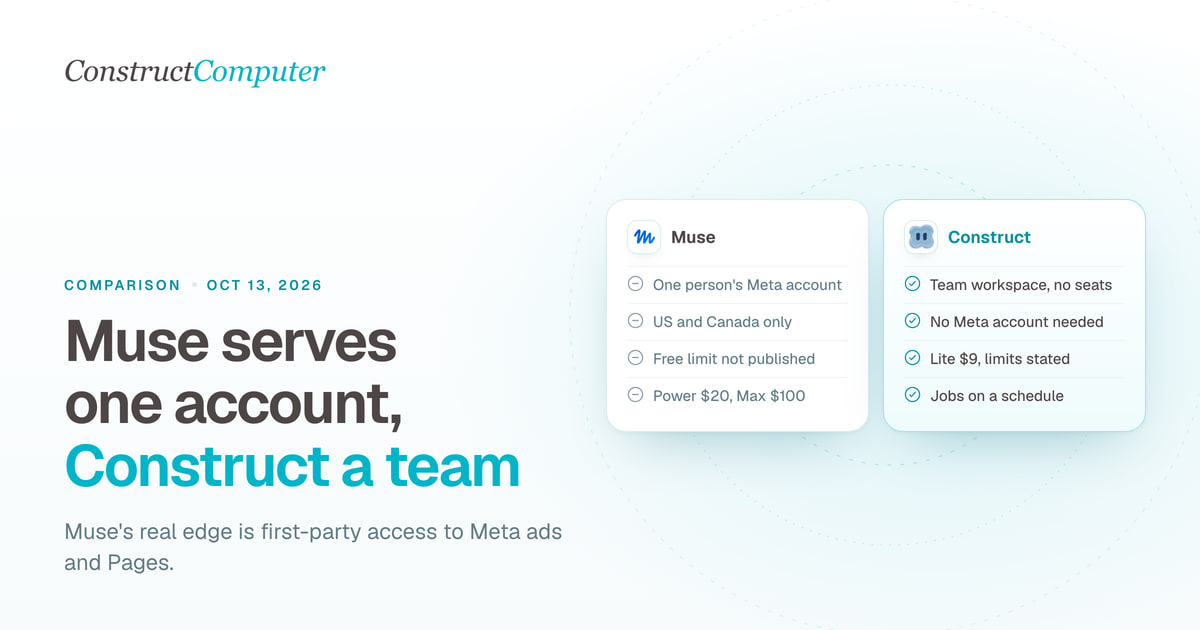
Meta Muse for Small Business is free to start but runs on one Meta account, US and Canada only. Construct gives your whole team an AI employee from $9.
Lindy alternatives, compared honestly
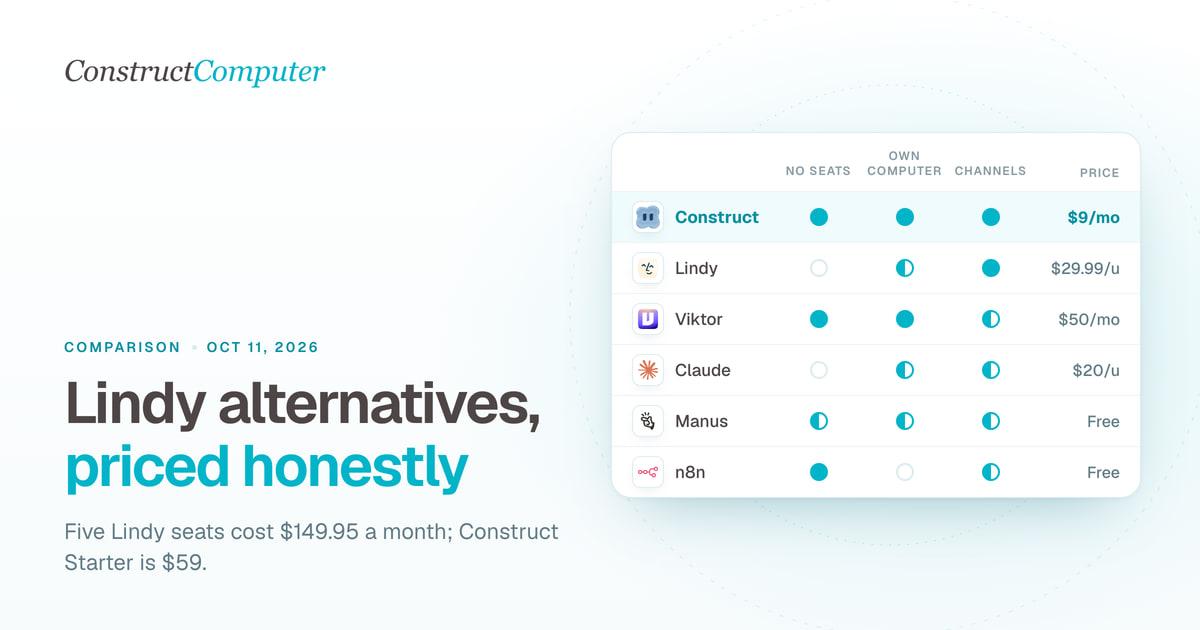
Lindy bills $29.99 or more per user a month. Compare 10 Lindy alternatives on price, billing unit and channels, from Construct at $9 to self-hosted n8n.

Construct vs Lindy
Construct vs Lindy on pricing, where each works, memory, activity records, and model keys. Lindy starts at $29.99 per active user; Construct starts at $9.

Muse for Small Business alternatives: 9 AI agents for work
Compare 9 Muse for Small Business alternatives, led by Construct at $9 a month, with prices checked October 1, 2026, and where each one fits.

