How to structure an AI agent team

Nischal · Author
Writes about Construct, AI agents, and building useful software.
Published · @naik_nischal
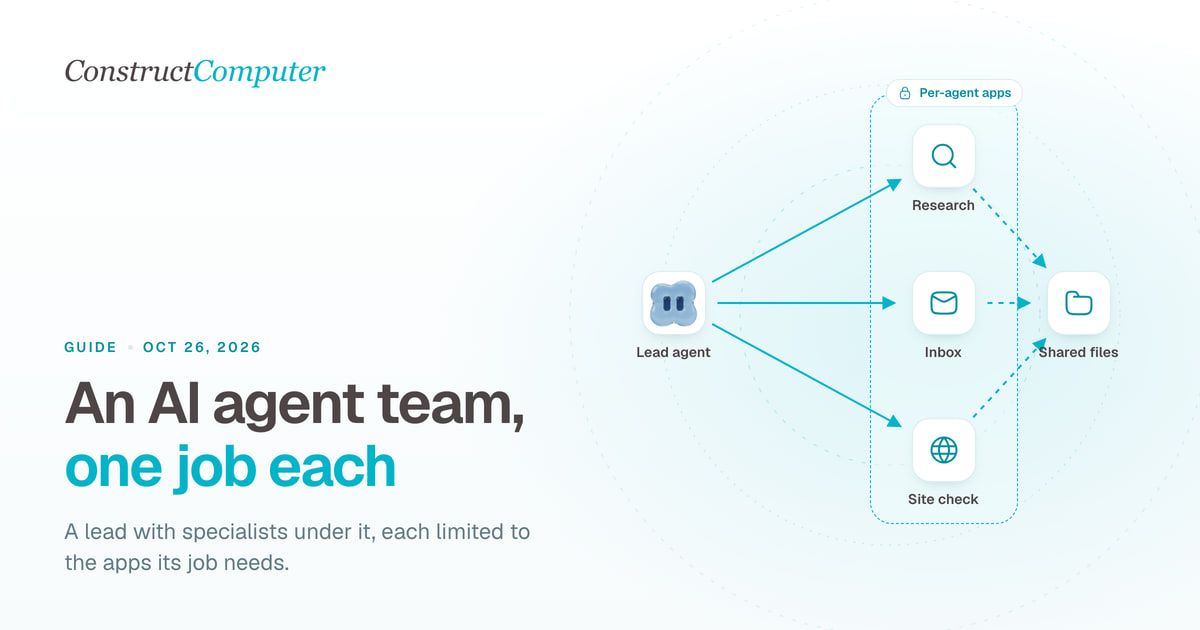
An AI agent team is a set of agents that each own one job, hand work to each other, and leave the results somewhere people can check. The structure that works for most small businesses is a lead agent with two or three specialists under it, each limited to the apps its job needs. Construct is built for this: every plan includes several agents with roles and a reporting line in one shared workspace, from 2 agents on the $9 Lite plan to 15 on Pro.
What is an AI agent team?
One agent with access to everything is easy to start with, and it gets messy fast. Your inbox, your research and your weekly report end up in one long thread, the agent needs every app's login, and when something goes wrong it is hard to say which job caused it.
A team splits that up. Each agent has a role, the apps that role needs, and a place to put its output. One agent leads and the others report to it. People stay in charge of anything that leaves the building.
Three AI agent team structures that work
Lead and specialists
One lead agent takes requests and passes them to specialists, such as research, inbox and reporting. The specialists save their work to shared files, and the lead pulls it together. This is the structure to start with, because there is one agent to talk to and every job still has a clear owner.
Pipeline
Each agent does one stage and hands its output to the next: research, then drafting, then a check against your rules. It suits work that always runs in the same order, like a weekly client report or a content brief. Each stage reads the previous stage's file, so you can see exactly where a bad result came from.
One agent per channel
An agent sits on each place work arrives: the shared inbox, a Slack channel, a Telegram group. Each one triages what comes in and passes anything bigger to the lead. It suits teams whose work arrives in many places at once.
How to set up an AI agent team
- Write down the three jobs that eat the most time each week. Each becomes an agent.
- Give each agent one sentence that describes its role and what a finished result looks like.
- Connect only the apps each job needs. The inbox agent gets email and Slack, not your CRM or billing.
- Decide where each handoff lands. A file in a shared folder works better than a chat message, because the next agent and your team can both open it.
- Pick a lead agent the others report to.
- Run each job once by hand, check the output, then put it on a schedule. Stagger the times so the lead runs after the specialists finish.
- Keep anything that goes to a customer or moves money as a draft a person sends.
Setting up the team in Construct
Construct gives every agent a role, a lead it reports to, and its own set of connected apps, and agents can hand work to each other. All of them share one team workspace, so files, schedules and memory are in one place your team can open, with Owner, Admin and Member roles and no member limit.
| Plan | Price | Agents | Scheduled tasks |
|---|---|---|---|
| Lite | $9 a month | Up to 2, including Construct | 3 |
| Starter | $59 a month | Up to 5, including Construct | 10 |
| Pro | $299 a month | Up to 15, including Construct | 50 |
Lite fits a lead plus one specialist. Starter fits the lead-and-specialists structure for most small teams. Pro adds your own model keys, including Claude through your Anthropic key, and takes over from bundled usage when it runs out.
Your team reaches the agents on the web, in Slack, Telegram and Discord, and by email. While an agent works in the browser you can watch the session and take control. Activity records each action with a short reason, so when a result looks wrong you can see which agent did what.
Try Construct Pro free for 7 days
Example: a five-person agency
On Starter, the agency runs four agents.
| Construct (lead) | Takes requests, writes the Friday client report from the others' files | Workspace files, Slack | Fridays at 3pm |
| Research | Collects competitor and client news into a dated file | Live browser | Mondays and Thursdays at 9am |
| Inbox | Sorts the shared inbox, drafts replies, posts a morning summary | Email, Slack | Weekdays at 8am |
| Site check | Opens each client site, notes broken pages and changes | Live browser | Weekdays at 1pm |
Every agent's output lands in the workspace. The account manager reads the morning summary in Slack, sends the drafted replies that look right, and checks the Friday report before it goes to clients.
Common mistakes
- One agent with every app. When it misreads a request, it has access to everything. Split jobs and scope apps per agent.
- Handoffs in chat. A result buried in a thread is hard for the next agent or a person to find. Save it to a file with a date in the name.
- Everything on the same schedule. If the lead runs before the specialists finish, it reports on last week's data.
- No human owner. Each agent's output should have one person who checks it.
Which tool should you use?
You can build an agent team yourself on a framework, or use tools that run several agents in group chats. For a small business that wants the team working this week, with shared files, schedules, a browser you can watch, and a choice of model, Construct is the better fit. Start on Lite at $9 with a lead and one specialist, move to Starter when you add the third job, and try Pro free for seven days if you want your own model keys.
Related resources
- How to use your Claude API key with an AI agent
- Construct vs Claude Duet
- How to choose an AI agent platform for your team
- AI workflow automation
- AI inbox triage
Frequently asked questions
- What is an AI agent team?
- A set of agents that each own one job, hand work to each other, and leave the results somewhere people can check. One agent leads and the others report to it, and people stay in charge of anything that leaves the building.
- What is the best AI agent team structure for a small business?
- A lead agent with two or three specialists under it, each limited to the apps its job needs. Construct Starter fits that structure with up to 5 agents and 10 scheduled tasks for $59 a month, in one shared team workspace.
- How do AI agents hand off work to each other?
- Through files. Have each agent save its output to a shared folder with a date in the name, and point the next agent at it. In Construct every agent's output lands in the team workspace, so the next agent and your team can both open it.
- How many agents can I run in Construct?
- Up to 2 on Lite at $9 a month, 5 on Starter at $59, and 15 on Pro at $299, each including the built-in Construct agent.
Keep reading
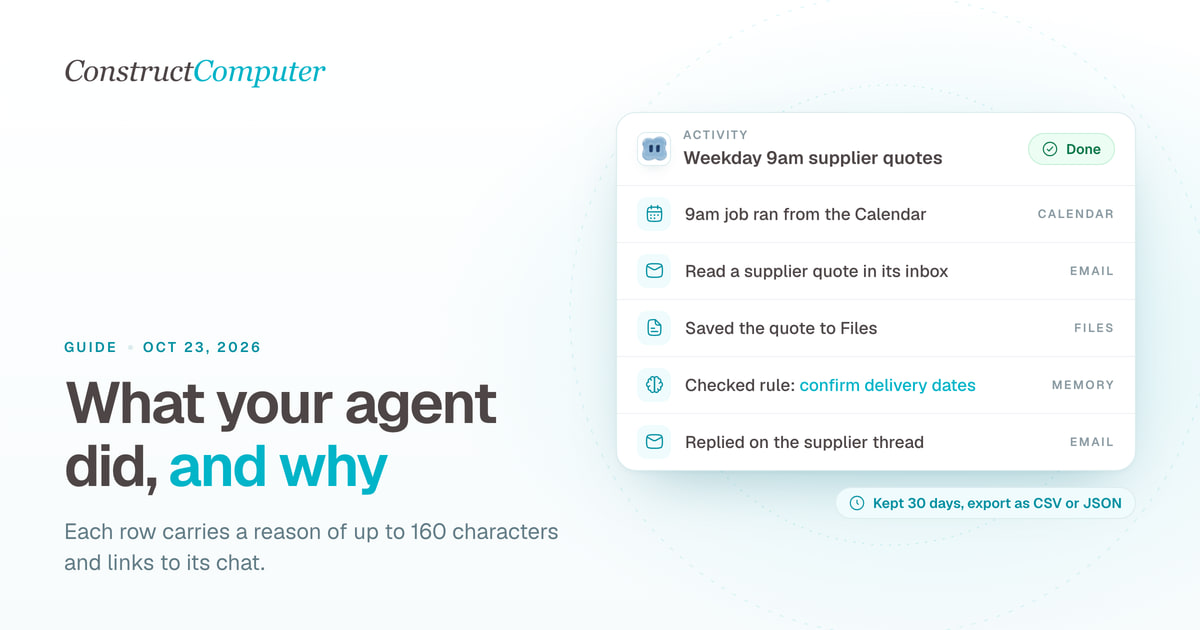
Activity log vs audit log: what an AI agent should record for a small team
An AI agent activity log shows what your agent did and why; an audit log proves it. What Construct's Activity records, keeps for 30 days, and leaves out.
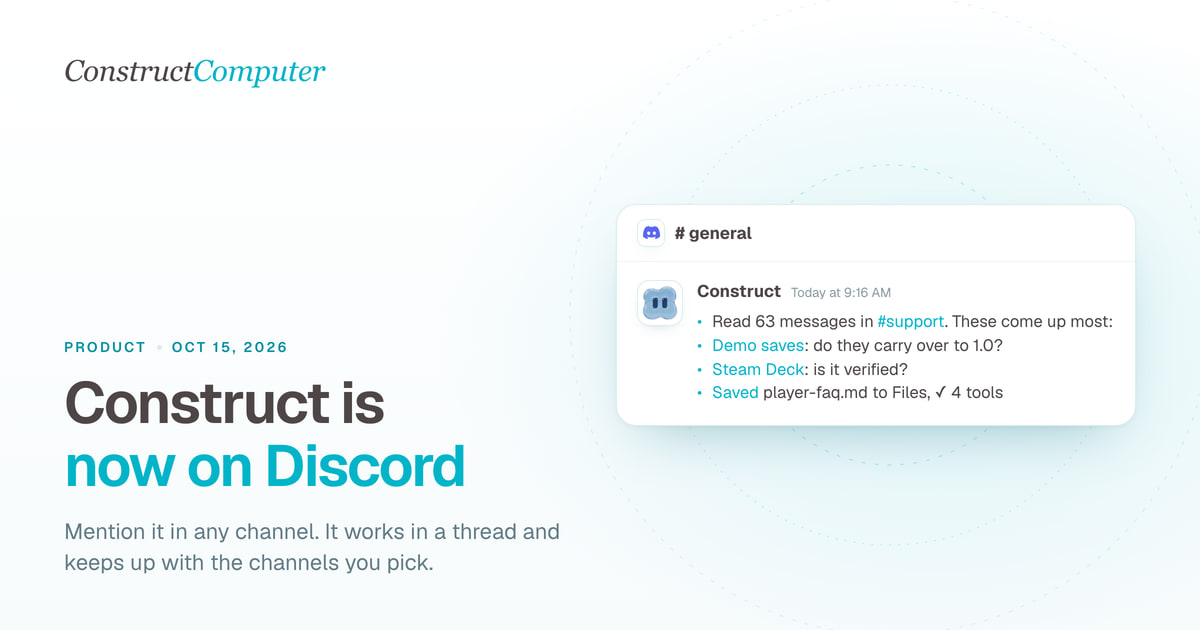
Construct is now on Discord: an AI agent that works inside your server
Add Construct's AI agent to Discord. Mention it in any channel, it works in a thread, follows channels you pick and keeps your server's context. From $9.
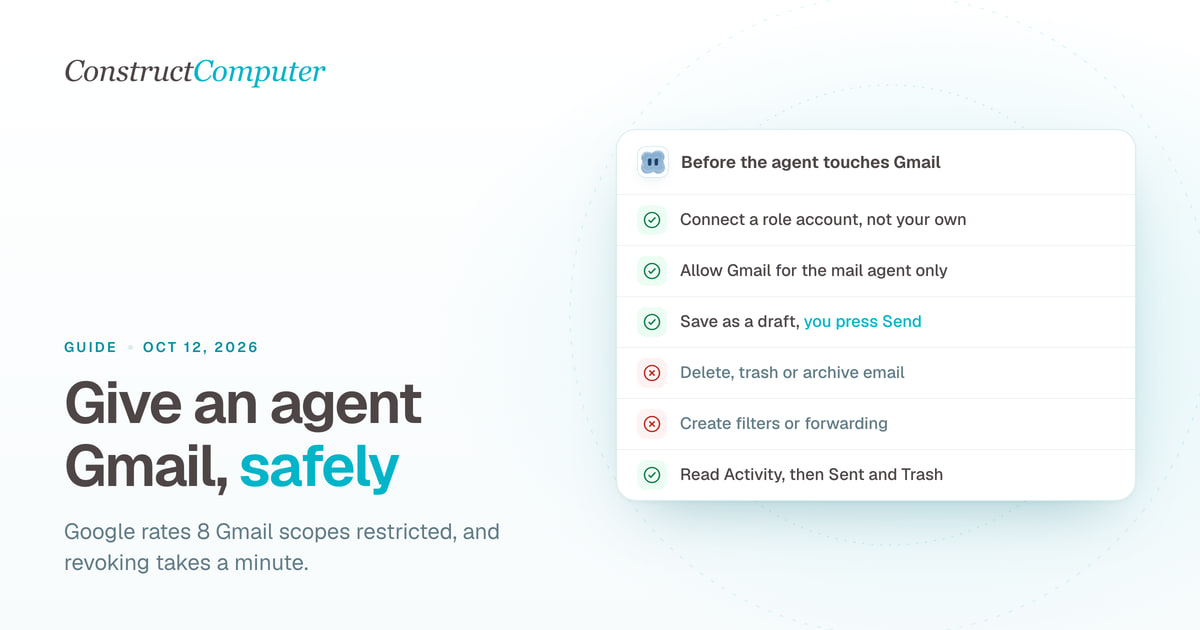
How to Let an AI Agent Use Your Gmail Safely
AI agent Gmail access without the risk: 8 restricted Gmail scopes explained, a separate agent inbox, drafts instead of sends, and a 1-minute revoke.
How to Choose an AI Agent Platform for Your Team
A vendor-agnostic evaluation checklist for AI agent platforms: pilot-failure data, six evaluation criteria, governance pressure, and a scorecard you can reuse.

