AI agents for content creation: build a content team in Construct

Nischal · Author
Writes about Construct, AI agents, and building useful software.
Published · @naik_nischal
On this page8 sections · 5 min read
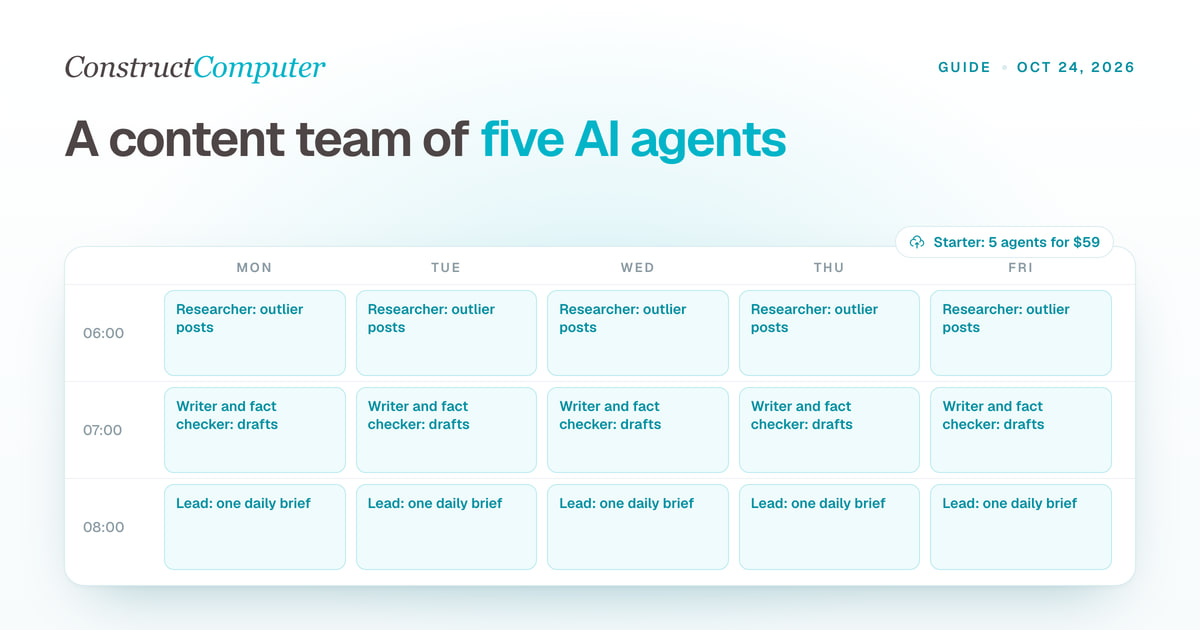
The AI agents that work best for content creation are a small team, each with one narrow job: a lead that runs the day, a researcher that finds what is working in your niche, a writer that drafts in your voice, a fact checker, and an analyst that reports your numbers. You still edit and publish every post yourself. In Construct the whole team runs in one workspace on a schedule, from 5 agents on the $59 Starter plan to 15 on Pro.
Below is the whole setup built in Construct, with the role prompts written out.
Why a team works better than one AI agent
One agent asked to research, write, check facts and report numbers does all four badly. Keep each agent's job narrow, because mixing two or more roles makes quality drop fast. A team also makes problems easy to trace: when a draft sounds wrong, you fix the writer's instructions, not everything at once.
In Construct each agent has a role, a lead agent it reports to, and only the apps its job needs. Their output lands in shared workspace files, so the writer can read the researcher's report and you can open both.
Step 1: set up the lead agent and your brand files
The lead is your head of content. It runs the other agents, keeps the brand files current, and sends you one brief a day. In Construct, the built-in Construct agent takes this role.
Connect the apps you use for content from the integration catalog, such as X, Notion, Google Drive and Gmail. Then ask the lead to build three files in the workspace:
voice.md: how you write, pulled from your last 50 posts, with phrases you use and phrases you never use.audience.md: who you are writing for, what they already know, and what they want from you.pillars.md: the three to five topics you post about, with an example post for each.
Prompt for the lead:
Read my last 50 posts on X and my Notion content database. Write voice.md, audience.md and pillars.md in the workspace. Then interview me with ten questions about anything you could not work out, and update the files with my answers.
Every other agent reads these files before it works, and you correct them as you go. Construct's memory also keeps what you tell an agent between runs, and you can open it, fix a fact or delete it.
Step 2: add the content team
Here is a five-agent team that fits Construct Starter. Each prompt goes in as the agent's role.
| Construct (lead) | Runs the team, keeps brand files current, sends the daily brief | Workspace files, Slack or Telegram | Weekdays at 8am |
| Researcher | Finds outlier posts in your niche and why they worked | X, live browser | Weekdays at 6am |
| Writer | Drafts hooks and posts in your voice from the research | Workspace files | Weekdays at 7am |
| Fact checker | Checks every number and claim in the drafts | Live browser | Weekdays at 7:30am |
| Analyst | Reports impressions, replies and new followers | X | Weekdays at 8am, before the brief |
Researcher
Every weekday at 6am, scan the accounts in niche-accounts.md and the topics in pillars.md. Find 15 posts doing at least three times better than that account's usual. For each, note the hook, the format and why it worked, and turn it into one idea that fits my pillars. Save it as research/DATE.md.
Writer
Read voice.md and today's research file. Pick the five strongest ideas and write three hook options and one full draft for each. Match my voice exactly and never use the phrases listed under "never" in voice.md. Save drafts/DATE.md. Do not post anything.
Fact checker
Read today's drafts. Check every number, name and claim against a primary source in the browser. Mark each one as confirmed, wrong or unverifiable, with the source link, and save checks/DATE.md.
Analyst
Pull yesterday's impressions, replies, new followers and number of posts from X. Compare them with the 7-day average and note the best and worst post. Save stats/DATE.md.
The lead's daily brief
At 8am, read today's research, drafts, checks and stats. Send me one message with the three drafts most worth posting, any fact that failed the check, and yesterday's numbers. Keep it under 200 words.
Try Construct Pro free for 7 days
Step 3: grow the team on Pro
Construct Pro allows up to 15 agents and 50 scheduled tasks, which leaves room for six more specialists:
- A competitor watcher that flags new formats and early trends in accounts you follow.
- A bookmarks agent that summarizes everything you saved during the day.
- A quote and reply scout that finds posts worth responding to.
- An ideas sparring agent that pushes back on article titles and angles before you write.
- A visuals agent that writes image prompts for banners and post graphics.
- An ideas tracker you text new ideas to, instead of opening Notion.
Pro also takes your own model keys for Anthropic, OpenAI, OpenRouter, Amazon Bedrock or xAI, as a fallback when bundled usage runs out or for every run.
Should AI agents publish for you?
No. Let the agents research, draft and check, and edit every angle, topic and draft yourself before it goes out. That is the right default. Construct's workflows do not pause for approval yet, so keep the team at the draft stage and post yourself. The agents do the hours of scanning and first drafts, and the taste stays yours.
Keep usage and quality under control
- Run only the agents you need. Keep three or four active and give only a few a daily schedule, because running all of them burns usage.
- Ask agents to be brief. Short reports cost less and are faster to read.
- Keep one file per agent with its tasks, dos and don'ts, and point the agent at it.
- Correct the voice file every time a draft does not sound like you, and say why. The writer gets better each week.
- Let the lead bundle everything into one brief, so you read one message instead of five.
Why build your content team in Construct
Construct starts at $9 a month with 2 agents, Starter at $59 fits the five-agent team above, and Pro at $299 runs up to fifteen. There is no other subscription to buy first. Every report and draft lands in files your whole team can open, the agents work on schedules with your laptop closed, you can watch the live browser while the researcher works, and the daily brief reaches you on Slack, Telegram, Discord or email. Start on Starter, set up the lead and the brand files today, and add one agent a day until the brief is worth reading every morning.
Related resources
Frequently asked questions
- What are the best AI agents for content creation?
- A small team of narrow agents works better than one agent doing everything: a lead that sends a daily brief, a researcher that finds outlier posts in your niche, a writer that drafts in your voice, a fact checker, and an analyst that reports your numbers. Construct runs that five-agent team on Starter at $59 a month, in one shared workspace with schedules.
- Should AI agents publish content for you?
- No. Keep the agents at the draft stage: they research, write and check, and you edit and post. Construct's workflows do not pause for approval yet, so ask for drafts and publish them yourself.
- How many AI agents do I need for content creation?
- Start with five: a lead, a researcher, a writer, a fact checker and an analyst. Construct Starter includes up to 5 agents and 10 scheduled tasks. Pro allows up to 15 agents and 50 scheduled tasks if you add a competitor watcher, a bookmarks agent, a reply scout, an ideas sparring agent, a visuals agent and an ideas tracker.
- How do I keep AI-written content in my voice?
- Have the lead agent build a voice file from your last 50 posts, point the writer at it, and correct the file every time a draft does not sound like you, saying why. Construct also keeps what you tell an agent in memory you can open, fix or delete.
Keep reading
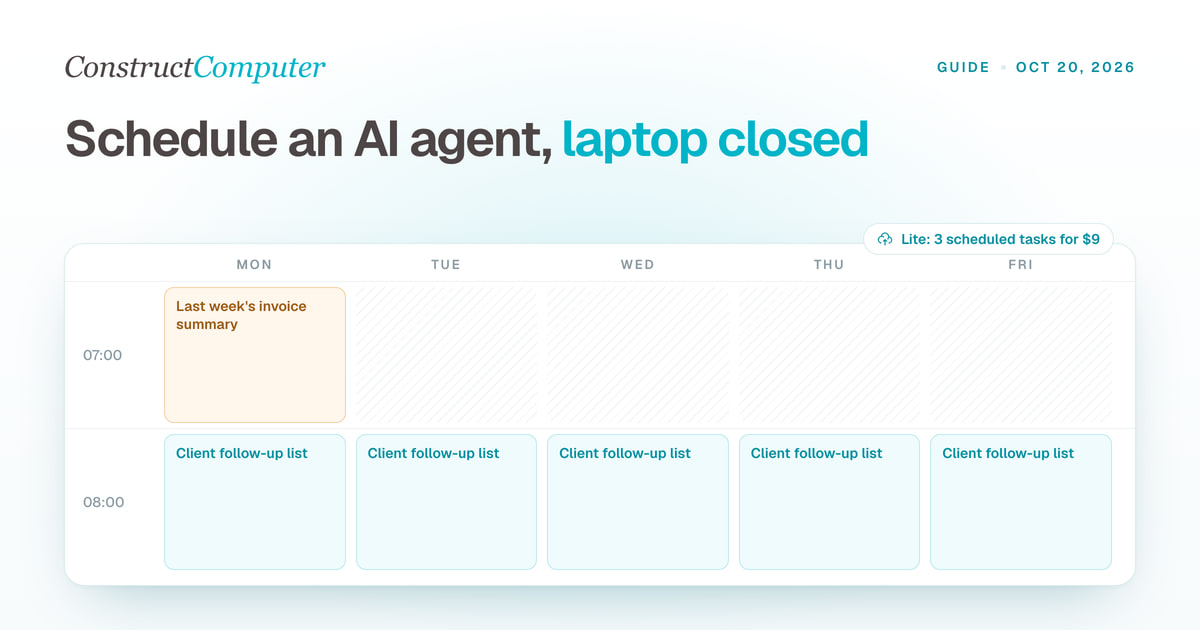
How to Run an AI Agent on a Schedule With Your Laptop Closed
Run AI agent scheduled tasks in the cloud with your laptop shut. Construct includes 3, 10, or 50 by plan, from $9 a month. Steps, prompts, and limits.

AI Workflow Automation
Create reusable linear AI workflows, run them on demand, or schedule recurring work across files, live browser runs, native email, and connected business apps.
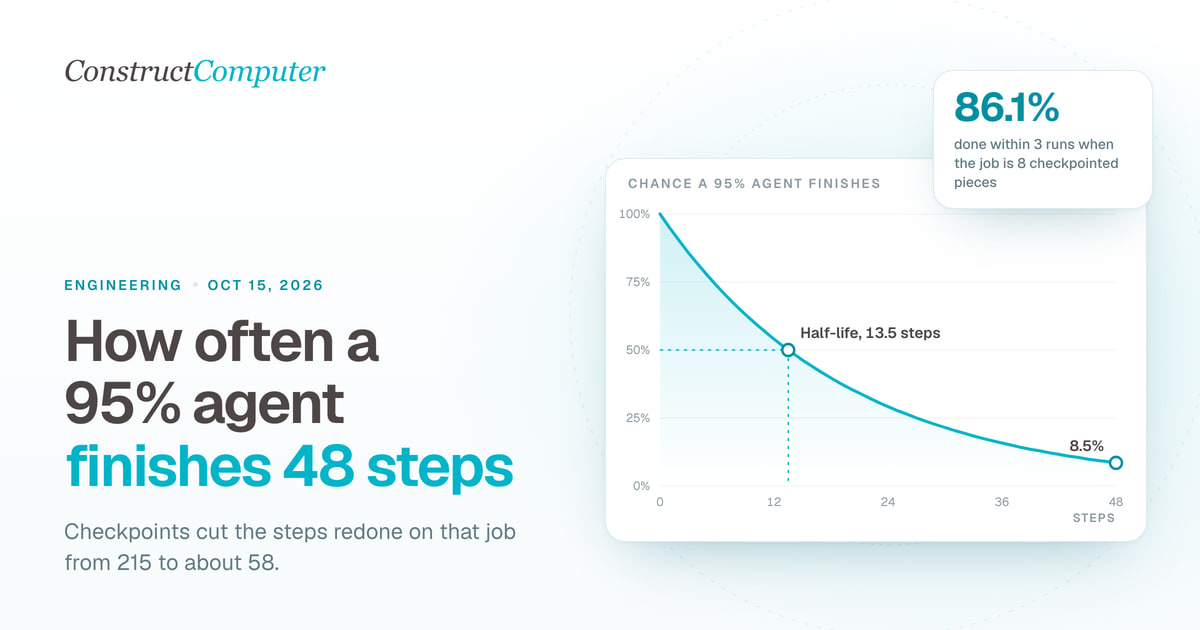
Agent reliability calculator: how many steps will your agent finish?
AI agent reliability calculator: a 95% reliable agent finishes a 48-step job in one run 8.5% of the time. See retries, half-life, and what checkpoints fix.

Your agent has a half-life
Why AI agents keep failing on long multi-step jobs: a 95% reliable agent finishes 48 steps 8.5% of the time. The fix is a resumable run, not a better model.

