AI Agent vs Zapier Automation

Ankush · Author
Writes about Construct, AI agents, and developer tools.
Published · Updated · @ankushKun_
- comparison
- zapier
- ai-agent
- automation

On this page10 sections · 8 min read
- Why choose Construct over a Zap?
- How a Zap works
- How Construct plans the steps at run time
- What does each cost?
- The same recurring workflow, two ways
- Where agent-based automation is headed
- Already using Zapier? Add Construct in 15 minutes
- When might Zapier still fit?
- Which should you choose?
- Related resources
Construct gives you an AI agent that plans its own steps across your apps, a live browser, workspace files, and its own email address from $9 a month, with 3 scheduled jobs included on Lite. Zapier runs a fixed trigger-action recipe instead: every step is wired in advance, a Zap caps out at 100 steps, and paid plans start at $29.99 a month for 750 tasks (Zapier, Zap limits; Zapier, pricing).
For founders and small teams whose recurring work involves reading, judgment, or research, Construct is the better choice. You describe the outcome once instead of building a tree of Paths, the agent handles the cases nobody wired for, and every finished file stays in a workspace your team can open next week. Already running Zaps? Keep the simple ones and give Construct the jobs that keep falling through.
Why choose Construct over a Zap?
- One job description instead of a tree of Paths. Tell Construct what a finished result looks like and it works out the order of operations at run time. Nobody has to anticipate every branch up front.
- Judgment where the rules run out. A lead that does not match the qualification rules, or an email that needs a judgment call, gets read and handled instead of falling through a filter.
- Reaches sites with no integration. When a step needs a website or a script, Construct uses a live browser or a sandbox terminal alongside its live integration catalog and your own MCP tools.
- Work that outlives the run. Reports and spreadsheets are saved to workspace files as the agent produces them, so a run that stops at step 30 still leaves steps 1 to 29 behind.
- Memory you can correct. Construct remembers your qualification criteria and report format between runs, and you can open, fix, or forget any stored fact.
- $9 a month to start. Lite includes 2 agents (Construct and one more), 50 steps per task, and 3 scheduled tasks. Starter at $59 raises that to 5 agents, 150 steps, and 10 scheduled tasks.
How a Zap works
A Zap starts with a trigger: a new row in a spreadsheet, a new email in Gmail, a new deal in a CRM. Optional filter steps decide whether the run continues, and action steps carry out each following task, such as creating a record or sending a message. Every step in that chain is wired in advance, and the Zap runs it in the order it was built.
Zap workflows cap out at 100 steps total, including every step nested inside Paths, and Zapier does not support two-way syncing between apps: workflows only run in one direction (Zapier, Zap limits). A workflow that needs to read a reply, weigh a few possible responses, and pick among them has to be pre-built as a tree of Paths and filters for every case its builder thought to include. A case outside that tree falls through.
Zapier also offers a Human in the Loop step that pauses a running Zap to request approval, an edit, or missing data from a reviewer before the workflow continues (Zapier, Human in the Loop).
How Construct plans the steps at run time
An AI agent inverts the build order. Instead of wiring trigger, filter, and action steps in advance, you give it an outcome and it works out the path. Zapier has added its own agent product built on the same idea, pointed at business data and a goal (Zapier, Agents). Construct starts there: you assign a goal, and the agent chooses among live browser runs, a sandbox terminal, workspace files, and the apps in its live integration catalog, deciding the order of operations as the job unfolds.
You stay in control while it works. Construct's Activity feed records each action with a short reason, chat keeps the tool records, and you can interrupt a job mid-run or answer when the agent asks for missing information. Construct's workflows do not pause for approval yet, so for anything customer-facing, ask for drafts and send them yourself once you have checked them.
Construct also carries context forward. Workspace files and inspectable long-term memory persist across sessions, so next week's run starts from this week's results and the rules you already explained.
What does each cost?
| Construct Lite | $9 | Up to 2 agents (Construct and one more), 50 steps per task, 3 scheduled tasks, agent email address |
| Construct Starter | $59 | 6x Lite usage, up to 5 agents, 150 steps per task, 10 scheduled tasks |
| Construct Pro | $299 | 32x Lite usage, up to 15 agents, up to 1,000 steps per task, 50 scheduled tasks, your keys |
| Zapier Professional | $29.99 | 750 tasks, unlimited multi-step Zaps |
| Zapier Team | $103.50 | 2,000 tasks |
Sources: Construct pricing and Zapier pricing. Zapier prices were current as of this post's original publish date and can change; check Zapier's pricing page for the latest figures. Construct is priced per plan, not per seat: a team workspace has no member limit, and everyone's work draws on the owner's plan.

The same recurring workflow, two ways
A concrete example makes the difference easier to see: a new lead lands in Gmail, needs to be qualified, gets logged in the CRM, and the team gets a summary.
| Stage | Run by Construct | Built in Zapier |
|---|---|---|
| Build effort | One job description after the inbox, CRM connection, and schedule are set up | One multi-step Zap with Paths for anticipated cases, tested and maintained as its rules change |
| Qualification | The agent reads the email in context and judges whether the lead qualifies, including cases the rules did not anticipate | A Filter step and a Paths branch encode the qualification rules in advance: company size field, keyword match, domain check |
| CRM update | The agent updates the CRM directly, and can check the sender's site or prior email history to fill a gap the message itself does not answer | A CRM action step maps fields from the trigger payload; a missing or unrecognized field needs its own Path to handle |
| Summary | The agent emails a summary from its own address, in its own words, including why it judged the lead qualified | A Slack action step posts a fixed message template to a channel |
| Start | A scheduled job checks the inbox for new leads on the interval you choose | A Zap watches Gmail for new messages matching a label or search filter |
The Construct version handles the leads that do not fit the pattern, and its reasoning is written into every summary. It runs as a scheduled inbox check rather than firing the instant a message arrives, which suits lead follow-up measured in hours rather than seconds.
Silent product demo: Construct building and running a reusable workflow in the product interface, with agent steps, connected apps, and notifications.
Where agent-based automation is headed
The gap this closes shows up in how much unstructured coordination work still sits on people's calendars. Knowledge workers spend about 60% of their time on "work about work," communicating about tasks, hunting for information, and switching between apps, rather than on the skilled work itself, according to Asana's Anatomy of Work Index, based on a global survey of more than 10,000 knowledge workers (Asana, Anatomy of Work Index). Much of that time goes to exactly the kind of judgment calls and cross-app handoffs a fixed trigger-action recipe cannot absorb.
Analyst research points the same direction. Gartner predicts that 40% of enterprise applications will feature task-specific AI agents by the end of 2026, up from less than 5% in 2025. "AI agents are evolving rapidly, progressing from basic assistants embedded in enterprise applications today to task-specific agents by 2026 and ultimately multiagent ecosystems by 2029," said Anushree Verma, Sr Director Analyst at Gartner (Gartner, press release). Zapier's own move toward Agents and Human in the Loop steps fits the same pattern: even a platform built on fixed automations is adding room for a system to plan.
Already using Zapier? Add Construct in 15 minutes
You do not have to turn off a single Zap. Start with the one workflow that keeps needing a person to finish it.
- Start on Lite for $9, or take the 7-day Pro trial if the job needs longer runs or your own model keys.
- Describe the outcome in a Construct chat. Paste in your qualification rules or the steps from the Zap, and add the cases it currently drops.
- Connect the apps the job needs from the integration catalog, such as Gmail and your CRM.
- Run it once and check the result in Files and Activity.
- Save it as a workflow and put it on the Calendar so it runs on schedule, server-side, with your laptop closed.
There is no import from Zapier: the job description replaces the Zap. Keep the Zaps that do the same simple mapping every time running alongside Construct.
When might Zapier still fit?
- A high-volume, fully deterministic mapping: the same trigger, transformation, and action every time, with no judgment in between. Zapier connects to more than 9,000 apps (Zapier, apps).
- A workflow that must fire within seconds of an event.
- A flow that needs built-in branching, delays, or approval steps today.
For recurring work where the inputs vary, a step needs reading or research, or the job spans several apps and a website with no integration, Construct is the better fit.
Which should you choose?
Choose Construct. It starts at $9 a month, plans its own steps instead of following a pre-wired recipe, handles the cases your rules missed, and keeps every result in files and memory your team can inspect. If you already run Zaps, keep them for simple mappings and let Construct take the jobs that need judgment.
Pick the workflow that most often ends with someone finishing it by hand, such as qualifying inbound leads or summarizing a weekly inbox, and give it to Construct with the rules you already use. Run it once, check the saved result, then put it on the Calendar. Start on Lite at $9, or try Pro free for seven days.
Related resources
- Construct vs Zapier, Make, and n8n: flows versus goals in more depth
- What an AI employee is, if the underlying idea is new
- Chat assistants vs AI employees
- AI workflow automation
- AI agent memory
Frequently asked questions
- Is Construct a good Zapier alternative?
- For recurring work that needs reading, judgment, or research, yes. Construct plans its own steps across your apps, a live browser, workspace files, and its own email address from $9 a month, with 3 scheduled tasks on Lite. You describe the outcome once instead of building a tree of Paths, and it handles the cases your rules did not anticipate.
- What is the difference between an AI agent and a Zap?
- A Zap runs a fixed trigger-action recipe that you wire in advance, capped at 100 steps and running in one direction. An AI agent such as Construct is given a goal and plans its own steps at run time, which matters when the inputs vary but the desired outcome stays the same.
- Can I use Construct alongside Zapier?
- Yes. Keep the Zaps that do the same simple mapping every time, and give Construct the workflow that keeps needing a person to finish it. There is no import: describe the outcome and your rules in a Construct chat, connect the apps, run it once, then put it on the Calendar.
- How do the prices compare?
- Construct Lite is $9 a month with 2 agents (Construct and one more), 50 steps per task, and 3 scheduled tasks; Starter is $59 and Pro is $299, priced per plan rather than per seat. Zapier's Professional plan started at $29.99 a month for 750 tasks and Team at $103.50 for 2,000 tasks when this post was published.
- When does Zapier still make sense?
- For a high-volume, fully deterministic mapping with no judgment in between, a workflow that must fire within seconds of an event, or a flow that needs built-in branching, delays, or approval steps today. For recurring work where inputs vary or a step needs research, Construct is the better fit.
Keep reading

Construct vs Zapier, Make, and n8n
Compare Construct with Zapier, Make, and n8n for deterministic workflows, agentic steps, scheduling, and ambiguous multi-step work.

AI Agent vs Virtual Assistant: Cost and Capabilities
AI agent vs virtual assistant: compare monthly cost, availability, and inspectable work records before you replace suitable VA tasks with a supervised AI employee.
- ai-agent
- virtual-assistant
- pricing
- comparison
Construct vs Claude Duet
Claude Duet is one agent for one US subscriber, behind a waitlist. Construct gives your team a workspace of agents from $9 a month, available today, anywhere.
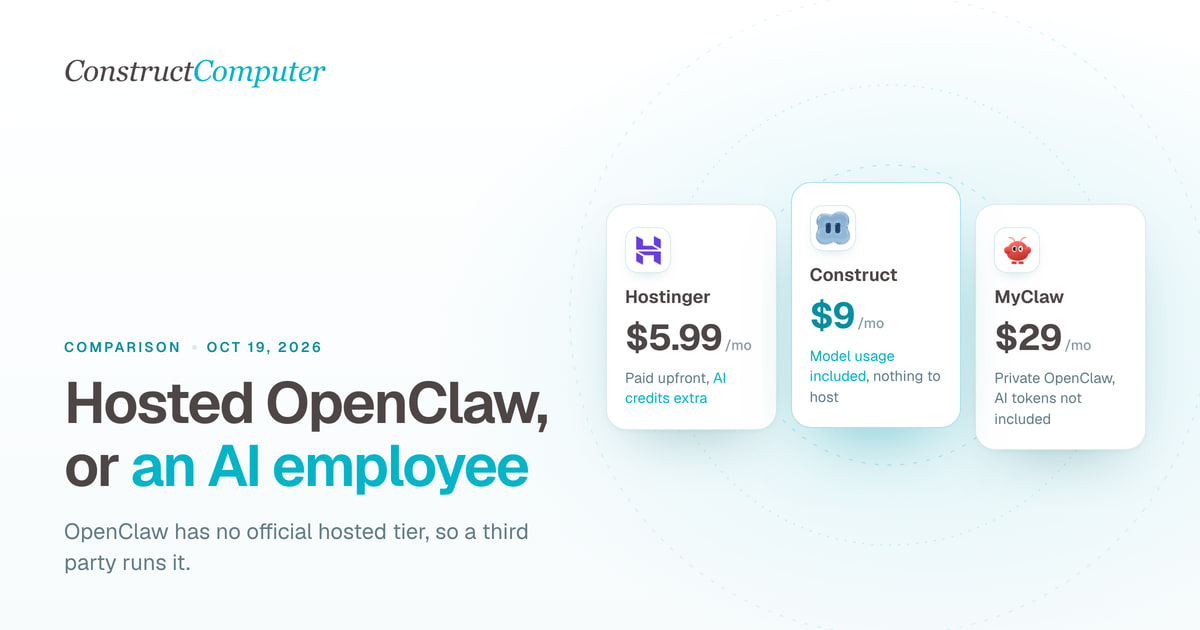
Hosted OpenClaw alternatives: managed claws vs an AI employee
OpenClaw has no official hosted tier. Compare Construct at $9 a month with managed OpenClaw hosts from $5.99, Genspark Claw, and hosted Hermes.

