Connect a custom MCP server to Construct: limits, auth and risk

Nischal · Author
Writes about Construct, AI agents, and building useful software.
Published · @naik_nischal
On this page10 sections · 9 min read
- Is a custom MCP server worth building?
- Adding the server and choosing who can use it
- What Construct sends your server
- Which MCP spec versions work
- Authentication: what the call token can and cannot do
- Read-only hints, retries and consent
- What went wrong across MCP this autumn
- A minimal server to start from
- How we checked this
- Related resources
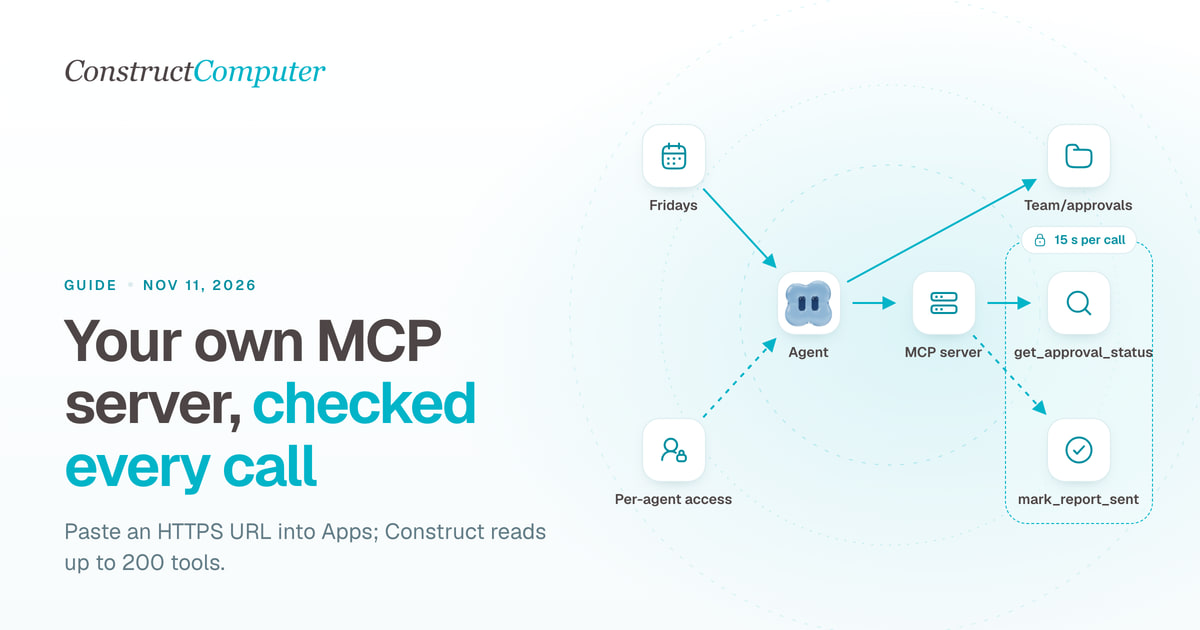
To connect a custom MCP server to Construct, open the App Store, choose Add MCP server in your library, and enter the server's public HTTPS address and its MCP path (/mcp unless you changed it). Your agents can use its tools straight away, and you turn the server off per agent. Construct talks to the server in plain JSON-RPC over HTTPS: before each call it lists the tools, checks the arguments against the tool's own schema, then calls it, with 15 seconds and 512,000 bytes per request. It does not perform the initialize handshake, so the server has to answer without one.
The Model Context Protocol (MCP) is the open standard for exposing tools to AI applications: a server lists tools, each with a name, a description and a JSON Schema for its inputs, and a client calls them. This guide covers what Construct sends your server, what it expects back, who can call it, and what this autumn's MCP security problems mean for a server you put on the internet.
Is a custom MCP server worth building?
Often it is not. Construct already connects apps such as Gmail, HubSpot, Notion, Linear and GitHub through its integration catalog, and an MCP server is one more service to host, secure and keep up. It is worth building when the system is yours and no catalog will ever list it, or when you want the agent to have a narrower interface than a whole account. A tool that can only look up an approval status is easier to reason about than a connected account that can read, send and delete.
| The system | Better route in Construct |
|---|---|
| A SaaS app in the catalog with the action needed | Connect the app |
| Your own service or database with an API | A custom MCP server |
| A website with no API | The live browser |
| People need a screen, not the agent | A workspace app |
| A one-off export | Import the file into Files and let the agent work on it in the terminal |
Adding the server and choosing who can use it
- Open the App Store and go to your library. Choose Add MCP server.
- Enter the Server URL, for example
https://mcp.example.com, and the MCP path. The path must stay on the same origin as the URL. - Optionally set an App ID, which is how agents and the App Store refer to the server. Choose Add server.
- Open each agent in the Agents app and use App access to turn the server off for every agent that does not need it. New apps are allowed for every agent by default.
In a team workspace, installing apps is an owner and admin permission by default, and an owner can grant it to members. Construct refuses private and local network addresses, requires HTTPS in production, and refuses an install from the Discord Activity, because the server would keep receiving call tokens after a Discord link was removed.
Two boundaries are worth knowing before you rely on App access. A workflow runs as the person who owns it unless it names an agent, and then it can use every app installed for that person whatever an agent's App access says. And every scheduled run and every workflow step re-checks, at the moment it runs, that the server is still installed, that access is still granted and that the tool's schema still matches, so removing a server takes effect on the next run.
What Construct sends your server
Right after you add the server, Construct asks it for its tool list in the background, allowing 3 seconds, and caches the first 80 tools with their descriptions and annotations. Agents search that cached list by matching what they need against tool names and descriptions. The cache is not refreshed on its own, so a tool you add to the server later will not appear in agent search until you remove the server and add it again. If the first fetch failed, Construct asks the server live on each search instead, and a server that does not answer contributes no tools.
When the agent calls a tool, Construct makes two requests. First a tools/list, to get the current schema. It drops any tool whose input schema is not a JSON object, keeps the first 200, finds the tool by name and validates the agent's arguments against its schema (JSON Schema 2020-12). Arguments that do not match never reach your server. Then the call itself:
POST /mcp HTTP/1.1
Host: mcp.example.com
Content-Type: application/json
Authorization: Bearer <call token>
x-construct-call-token: <call token>

{"jsonrpc":"2.0","id":1,"method":"tools/call","params":{"name":"get_approval_status","arguments":{"report_id":"R-1042"}}}
| Rule | Value |
|---|---|
| Time per request | 15 seconds, and each tool call is two requests |
| Response size | 512,000 bytes |
| Redirects | Up to two, same origin only |
| Tools in search | The first 80, cached when you add the server |
| Tools per call | The first 200 from the first page of a live tools/list |
| Reply format | One JSON object in the body, not an event stream |
| What the agent gets | The text content, or structuredContent as JSON when there is no text |
| Server features | Tools only; resources, prompts and elicitation are not used |
One behaviour catches people out. When your tool returns isError: true, the agent sees only "MCP tool returned an error", not your message. If you want the agent to read why something failed, such as "report not found", return it as an ordinary text result.
Which MCP spec versions work
The current revision of the specification is 2026-07-28, the stateless one: it removed the initialize handshake and protocol-level sessions, and every request now carries its protocol version in the body and in an MCP-Protocol-Version header. Revisions 2025-03-26 to 2025-11-25 used an initialize handshake and could assign an Mcp-Session-Id (Streamable HTTP transport, 2026-07-28, checked October 26, 2026).
Construct's client sends neither: no initialize, no session ID, no protocol version header and no _meta block. So, today:
- A server that answers
tools/listandtools/callPOSTs with a single JSON reply, without demanding a handshake or protocol headers, works. - A server that requires
initializebefore other requests refuses Construct's calls. - A server that enforces the 2026-07-28 rules refuses them too, because that revision says a server must reject a POST without
MCP-Protocol-Versionunless it chooses to accept older clients. - A reply streamed as
text/event-streamfails as invalid JSON.
If you build on an MCP SDK, use its stateless, JSON-response mode and test that it accepts a bare POST like the one above before you add it to Construct.
Authentication: what the call token can and cannot do
Each request carries the same token twice, as a bearer token and in x-construct-call-token. It is a JSON Web Token that lasts 120 seconds and names the user, the workspace and your app. Construct signs it with its own secret, which it does not publish, so your server cannot verify it locally. Its job is the other direction: Construct's gateway accepts it for 120 seconds, for that one app, and only while the user is still a workspace member allowed to use apps. With it your server can call its own tools back through Construct or use its own AppData folder in the user's Files. It cannot reach the user's other apps, inbox or files.
There is no field yet for your own API key or custom headers. The one secret you can make Construct send is the URL itself: a long random MCP path such as /mcp/7f3c9a... behaves like a bearer URL. Rotate it if it leaks, and pair it with tools that are narrow, read-only where possible and rate limited.
Read-only hints, retries and consent
Mark every tool that only reads with "annotations": { "readOnlyHint": true }, and do it before you add the server, since Construct reads the hint from the tool list it caches then. Construct treats such a tool as a lookup, which is the only kind of call it will retry after a transient failure, at most twice. Every other tool is treated as a write and runs once, so Construct never repeats a timed-out write on its own. The specification warns that annotations "should be considered untrusted, unless obtained from a trusted server" (MCP specification, 2026-07-28). Construct honours yours because you installed the server; a wrong hint on your own server costs you an extra call, so be accurate.
The same section of the spec says tools "represent arbitrary code execution and must be treated with appropriate caution", and that hosts must obtain consent before invoking any tool. Construct does not ask before each call. The consent is structural: who may install a server, which agents may use it, and what you put in the prompt. Results from your server reach the agent marked as external data whose instructions it should not follow. Your tool names and descriptions are not marked that way, because the agent needs them to choose tools, which is one more reason to add only servers you control.

What went wrong across MCP this autumn
Three MCP servers and gateways disclosed in September shared one failure: they were reachable over the network with no authentication. Run with its SSE transport, the MySQL MCP Server before 0.4.2 listened on every network interface with no authentication on its routes, rated CVSS 10.0 (CVE-2026-59971, published September 15, 2026). The GitLab MCP server @zereight/mcp-gitlab before 2.1.27 exposed every tool without authentication in SSE mode, including one that could read arbitrary local files, rated 9.8 (CVE-2026-61560). The Bifrost gateway shipped with auth off, so one unauthenticated request could start a program on the host, rated 9.8 (CVE-2026-90898).
On October 21, LiteLLM 1.107.0 was published to PyPI and container registries with a credential stealer aimed at cloud keys, AI provider keys, SSH keys and browser cookies. Wiz reports about 49,000 PyPI downloads before the package was quarantined less than two hours later (Wiz, October 21, 2026).
Here is how Construct's design changes that exposure, as the code stands:
- Construct calls your server over HTTPS and never runs its code or its dependencies. A backdoored package in your server compromises your server, not the agent host. Construct's MCP client is its own small module with no MCP SDK dependency, and Construct does not use LiteLLM.
- Construct only calls public URLs, which means your server is reachable from the internet, like those three servers were. Authenticate it with a secret path at minimum and keep its tools narrow.
- A stolen call token is worth 120 seconds of access to your own app through Construct's gateway.
- In the agent's terminal, commands run with no Construct credentials or connected-app tokens in their environment, and anything the agent installs is gone when the container sleeps. A malicious package could still read the files mounted in that container and reach the internet while it runs, so look at what the agent installs.
A minimal server to start from
Two tools are enough for most first servers: one that reads and one that writes. The reading tool carries the read-only hint; the writing one does not, so Construct never retries it.
{
  "tools": [
    {
      "name": "get_approval_status",
      "description": "Return the approval status and approver for a client report ID.",
      "inputSchema": {
        "type": "object",
        "properties": { "report_id": { "type": "string" } },
        "required": ["report_id"]
      },
      "annotations": { "readOnlyHint": true }
    },
    {
      "name": "mark_report_sent",
      "description": "Record that an approved report was sent to the client.",
      "inputSchema": {
        "type": "object",
        "properties": { "report_id": { "type": "string" } },
        "required": ["report_id"]
      }
    }
  ]
}
Then give the agent the reading job and keep the write behind your own say-so:
For each report dated this week in Team/clients/*/reports, call get_approval_status. Save a table of approved and unapproved reports to Team/approvals/YYYY-MM-DD.md with today's date. Do not call mark_report_sent; I will tell you which reports to mark after they are sent.
Each lookup appears in Activity with a link back to the chat.
How we checked this
The install flow, client limits, request format, token claims and lifetime, gateway rules, retry policy and result framing were read from Construct's source on October 26, 2026, along with the App Store and Agents app labels. The specification text and transport rules were read from modelcontextprotocol.io the same day, and the CVE records from the NVD API. We make Construct.
Related resources
- How Construct builds internal tools in your workspace
- How Construct's agent uses a browser and a terminal
- AI agent prompt injection: what the 2026 attacks did
- Activity log vs audit log
- Workflows in Construct
Frequently asked questions
- Does Construct support MCP servers that need the initialize handshake?
- Not as of October 26, 2026. Construct sends tools/list and tools/call as plain JSON-RPC POSTs with no initialize, session ID or protocol version header, and reads a single JSON reply. Servers that require a handshake, enforce the 2026-07-28 header rules or stream SSE replies will refuse or fail.
- Can I give Construct an API key for my MCP server?
- Not yet. There is no field for your own key or custom headers. Construct sends a 120-second token signed with its own secret, which your server cannot verify locally, so use a long random MCP path as the shared secret and keep the tools narrow.
- Why doesn't a new tool on my MCP server show up for the agent?
- Construct caches the first 80 tools when you add the server, and agents search that cache. A tool added to the server later appears after you remove the server and add it again.
- Can every member of a team workspace add an MCP server?
- No. Installing apps is an owner and admin permission by default, and an owner can grant it to members.
Keep reading
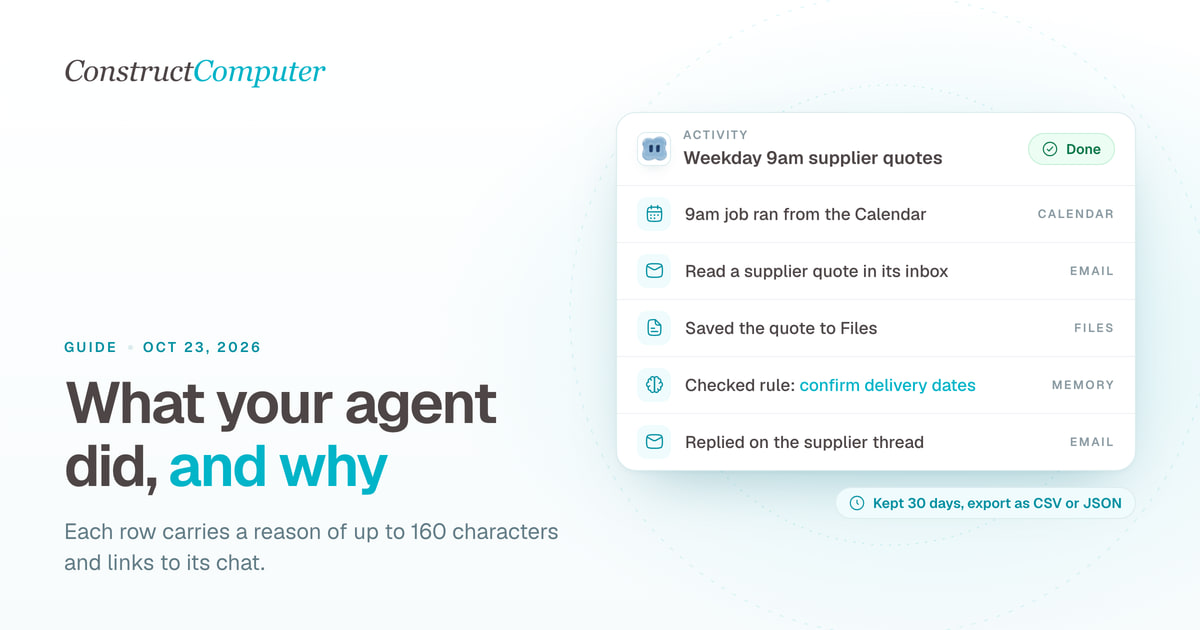
Activity log vs audit log: what an AI agent should record for a small team
An AI agent activity log shows what your agent did and why; an audit log proves it. What Construct's Activity records, keeps for 30 days, and leaves out.
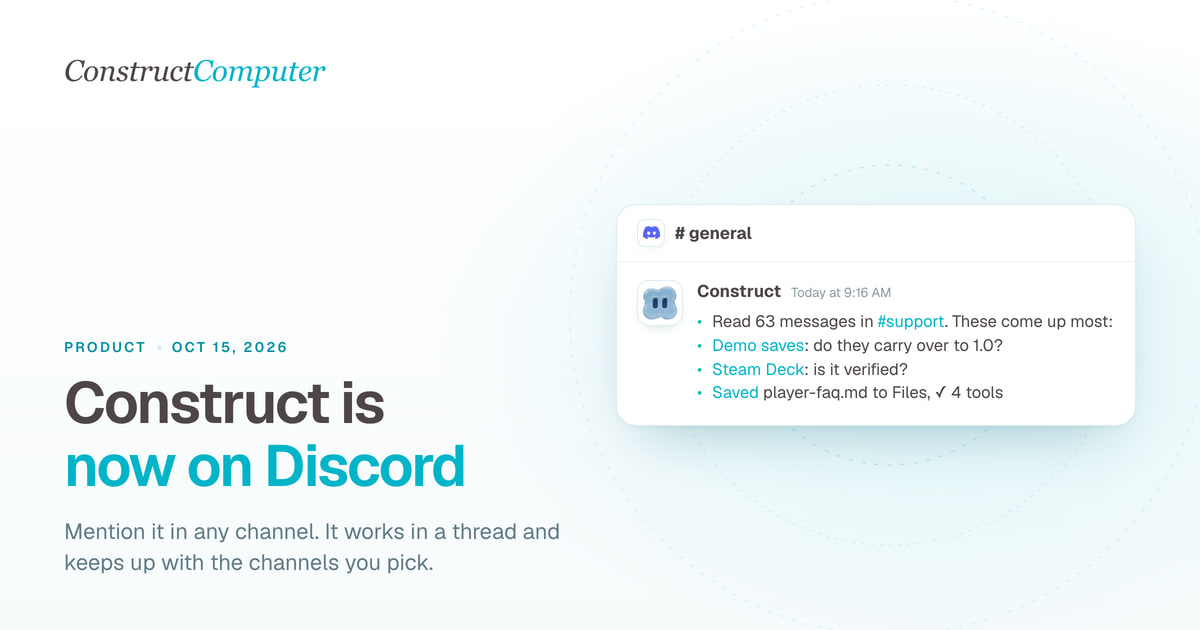
Construct is now on Discord: an AI agent that works inside your server
Add Construct's AI agent to Discord. Mention it in any channel, it works in a thread, follows channels you pick and keeps your server's context. From $9.
How to Choose an AI Agent Platform for Your Team
A vendor-agnostic evaluation checklist for AI agent platforms: pilot-failure data, six evaluation criteria, governance pressure, and a scorecard you can reuse.
Is Construct Computer safe? What it stores, what its agents can reach, and where protection stops
Construct Computer is safe for small-team work if you scope it: stored keys are encrypted, strangers' email starts nothing, and every known gap is listed here.

